
Top Bulk Editor Apps for Shopify Stores in 2026

Last updated: May 2026 · Pricing and ratings verified from live Shopify App Store listings on May 4, 2026 · Reviewed by the Libautech team — builders of Bundles & Upsell and 8 other Built for Shopify apps used by 5,000+ merchants across 50+ countries.
Key Takeaways
- Bulk editor apps solve four distinct jobs — mass price changes (sales, currency rounding, margin updates), mass product field edits (titles, descriptions, tags, vendor), bulk inventory updates from supplier feeds, and scheduled or rule-based changes that run automatically. The right app depends on which job is the dominant pain, not which editor has the most features in screenshots.
- Shopify's built-in bulk editor handles basic field edits across up to 50 products at a time. For 90% of bulk edits a small store ever needs, this is enough — third-party apps become necessary only when scheduling, conditional logic, rollback, or catalog size beyond 50 enter the picture.
- The riskiest action in this category is a bad price update applied without preview or rollback. Always test on 2-3 SKUs before pushing to thousands. Hextom Bulk Product Edit (4.8/5) and Matrixify (5.0/5) both make rollback a single click — that single feature pays back the subscription cost on the first prevented disaster.
- For seasonal sales (Black Friday, end of season, Mother's Day), schedule both the discount and the rollback in advance. Doing it manually at midnight is how prices stay wrong for three days while merchants discover the issue from customer service tickets. Bulk Discount & Sale Manager by Egnition specializes in this scheduled-sale pattern and saves the night-shift work entirely.
- CSV import and export is the universal escape hatch. If a bulk editor app cannot export the changes about to be made, the app cannot be trusted with thousands of products — there is no audit trail when something goes wrong. Matrixify (formerly Excelify) is the deepest CSV tool in the category and the right answer for stores whose data lives in spreadsheets.
- Bulk editing is operational hygiene that compounds into conversion lift. Clean prices, consistent titles, accurate tags, and proper SEO metadata across the catalog are conversion levers — most merchants underestimate how much catalog inconsistency costs in lost sales until they fix it and watch the conversion rate move.
Who Needs a Bulk Editor App, and Why?
A bulk editor app changes many products at once, prices, tags, metafields, descriptions, SEO fields, by rule or spreadsheet, instead of editing them one by one. For a big catalog, a sale, or a data cleanup, it turns hours of clicking into a single operation.
You need one if you have a large catalog, run frequent price changes or sales, or import products that need tidying. A small store with a handful of products can edit by hand.
The Four Jobs of Shopify Bulk Editor Apps
Most bulk editor app lists rank 12 tools by review count and recommend Hextom for everyone. That framing misses how this category actually works. A merchant running a Black Friday sale across 500 SKUs with scheduled markdowns and automatic rollback at midnight, a store cleaning up 800 product titles to fix a vendor name typo, a drop shipper syncing supplier inventory feeds every hour from CSV, and a multi-currency operator rounding prices after exchange rate moves all solve completely different jobs — and the right app depends on which job is the binding constraint. Bulk editor apps cover four distinct jobs, and the strongest workflows rarely involve picking one "best app" without first identifying the dominant edit pattern.
The first job is mass pricing changes. Sales, margin updates, currency rounding after FX moves, supplier price increases passed through to retail, and scheduled markdowns for seasonal clearance. The mechanics are straightforward — select products by collection, vendor, tag, or filter; apply a percentage or absolute change; schedule the trigger; and ideally schedule the rollback at the same time. Best fit for any store running regular sales, multi-currency stores adjusting for FX swings, and any catalog over 500 SKUs where manually editing prices in the admin becomes a multi-hour task.
The second job is mass field edits. Titles, descriptions, tags, vendor, type, SEO meta, alt text, and any other product field that needs find-and-replace or template fill across hundreds of items. The mechanics involve filtering to the affected products, applying find-and-replace or template fill, previewing the diff, and committing the change. Best fit for catalog cleanup projects (typo fixes, naming convention updates), rebrand transitions where vendor or product type fields change, and SEO retemplating where meta titles need to follow a new template across the entire catalog.
The third job is bulk inventory updates. New stock arrivals, warehouse moves, end-of-season clearance markdowns tied to inventory thresholds, and supplier feed integration where stock levels live in another system. The mechanics involve importing CSV, FTP files, or Google Sheets from a supplier or warehouse, mapping columns to Shopify fields, validating the import, and committing the inventory updates. Best fit for stores with offline warehouses, drop-shipping merchants who receive supplier feeds, and stores running physical inventory counts that need to push the corrected numbers back into Shopify.
The fourth job is scheduled and conditional changes. "Mark these 200 items 30 percent off at 9:00 AM Friday and revert at midnight Sunday." "Add the gift wrap tag to anything in the Holiday collection." "Hide all products from Vendor X that are currently out of stock." The mechanics involve defining rules (filter conditions, target field, value transformation), scheduling the trigger, and letting the app execute the change at the scheduled time. Best fit for any store running flash sales, promotions, or rule-based catalog management at scale where the alternative is manual editing in the middle of the night.
How We Ranked These Apps
The ranking weighs five dimensions: edit safety (does the app make rollback easy when things go wrong), workflow depth (can the app handle scheduling, conditional logic, and CSV round-trip), pricing fit (does the cost scale with edit volume rather than punishing growth), support quality (when a bulk edit goes wrong at scale, how quickly does the team help), and merchant reviews on the live Shopify App Store as of May 2026. Apps that solve a niche edit pattern exceptionally well rank higher in their job category than apps with broader feature sets but weaker depth. The native Shopify bulk editor ranks first within its scope because the cheapest correct answer beats the most feature-rich paid alternative when the use case is small batches without scheduling.
1. Bulk Product Edit & CSV by Hextom
Rating: 4.8/5 · Pricing: Free plan, paid from $9.99/mo · Best for: Most stores wanting one bulk editor that covers price, fields, and scheduling · Job solved: General-purpose bulk editing across price, fields, inventory, and scheduled changes
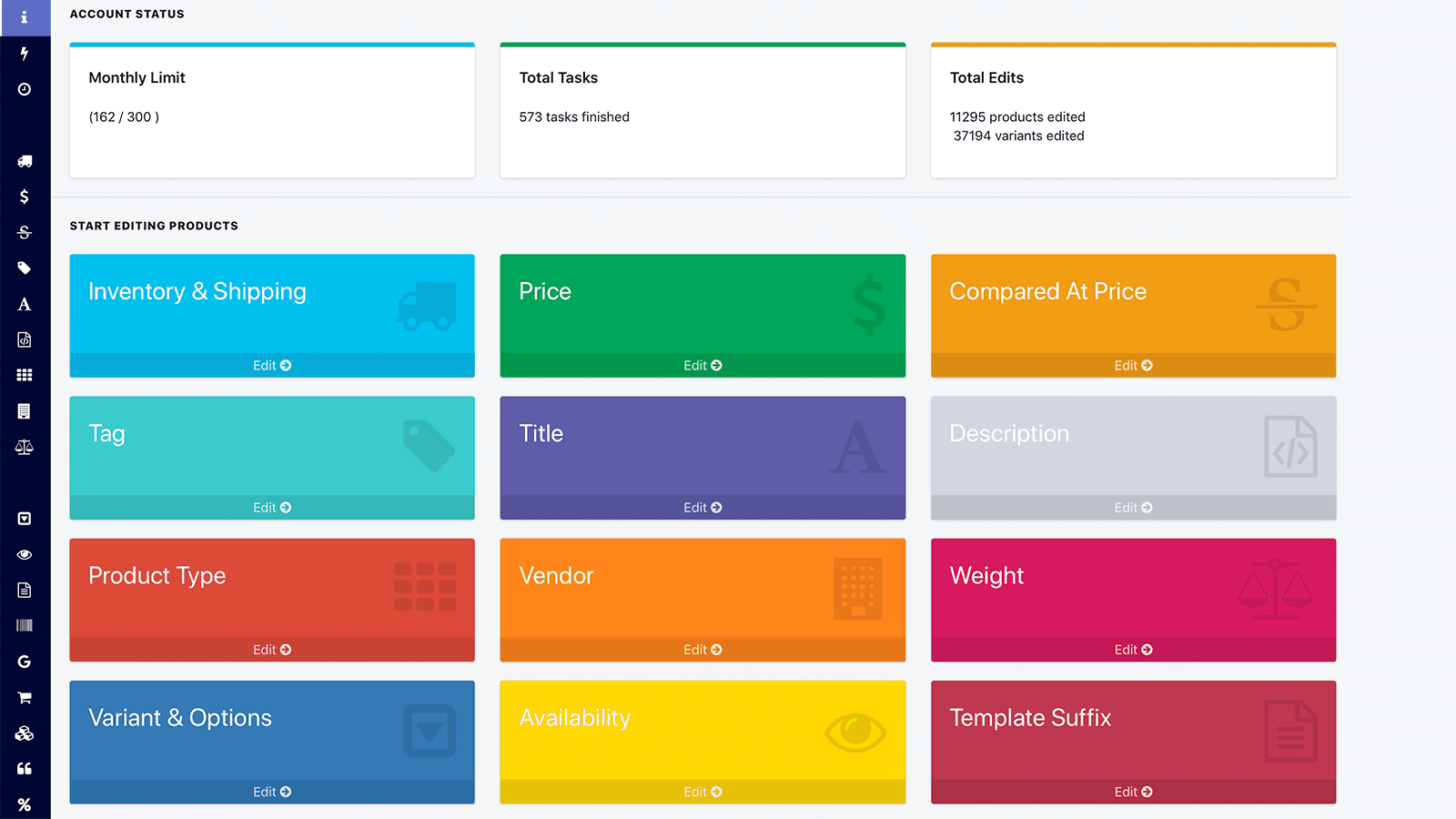
Hextom's Bulk Product Edit is the workhorse of the category. It handles mass price edits, bulk field updates, scheduled changes, and CSV import-export in one app. The interface is closer to Shopify admin than to a spreadsheet, which trades raw speed for far fewer accidental disasters — every edit shows a preview before commit, and the undo function rolls back the entire batch in a single click rather than requiring a CSV reimport. The free plan covers small catalogs; paid plans scale by edit volume rather than punishing stores for growing.
If only one bulk editor is installed, this is the right one. The undo function and scheduled rollback are the features that earn the 4.8 rating across thousands of merchant reviews. Stores that have tried three different bulk editor apps typically settle on Hextom because the safety mechanisms are strongest — a category where one badly-applied price update can cost more than the annual subscription, the difference between "easy to undo" and "have to manually fix 500 SKUs" is the difference between a frustrating afternoon and a fired bookkeeper.
2. Bulk Discount & Sale Manager by Egnition
Rating: 4.9/5 · Pricing: From $24.95/mo · Best for: Stores running frequent scheduled sales with automatic rollback · Job solved: Scheduled sale management with automated price changes and reversion
Bulk Discount & Sale Manager is narrower than Hextom but better at the one thing it does. The workflow is simple — pick collections or filters, set the discount percentage, set start and end times. The app applies the price change at the scheduled trigger, optionally adds a "sale" tag for theme styling and email segmentation, and reverts everything when the sale ends. The countdown timer integration is a nice extra that pairs well with sale messaging on the storefront.
Use it when running more than one sale a month. The time saved scheduling and reverting prices is the entire pitch — and it works reliably. The 4.9 rating reflects the focused product strategy: rather than trying to be a general-purpose bulk editor, Egnition built the best tool for the scheduled-sale workflow specifically, and that focus is what the merchant reviews consistently praise. For stores running flash sales, holiday promotions, and end-of-season markdowns, this app eliminates the midnight scrambling that causes most pricing mistakes in retail.
3. Bulk Edit Anything by Power Tools
Rating: 4.7/5 · Pricing: From $9/mo · Best for: Catalog cleanup projects with find-and-replace and template-based field updates · Job solved: Deep field-level edits with conditional logic and find-and-replace
Power Tools is built for the messy edit — "replace 'V Neck' with 'V-Neck' in 600 product titles" or "add the keyword 'organic' to every meta description in the Cotton collection." Find-and-replace, template-based fills, and conditional rules across most product fields. It is the right tool for one-time catalog migrations, rebrand text sweeps, and SEO retemplating where the value transformation is more complex than a simple field overwrite.
Power Tools does not handle scheduled changes — for recurring sales, Hextom or Egnition still cover that gap. For deep one-shot edits where the value transformation logic matters, this is faster than either. The conditional rule engine is denser than Hextom's and handles use cases like "for all products in collection X where vendor is Y, append text Z to the title" without requiring a CSV round-trip. Stores running catalog migrations or rebrands typically install Power Tools alongside Hextom rather than replacing it — the two tools cover different edit patterns and rarely conflict.
4. SEO Booster by Booster Apps
Rating: 4.8/5 · Pricing: Free plan, paid from $39/mo · Best for: Bulk SEO meta titles, descriptions, and alt text edits with templating · Job solved: SEO-specific bulk field editing across catalog SEO metadata
SEO Booster handles the SEO-specific bulk edit case: meta titles, meta descriptions, image alt text, and structured data across the whole catalog at once. Templates with merge tags ({{product.title}} - Buy at {{shop.name}}) save hours of manual writing for stores with 500+ products that need consistent SEO metadata. The app also flags missing alt tags and weak meta descriptions, which is useful audit work even before bulk-fixing them — the audit alone often surfaces gaps the merchant did not realize existed.
For catalogs under 200 products, the templating engine is overkill — the native Shopify SEO fields plus manual editing covers the use case. Above 500 products, the time savings justify the price within the first sweep. The 4.8 rating reflects how cleanly the app handles the SEO bulk edit pattern without trying to be a full-featured SEO suite. Stores running serious organic search strategies typically pair SEO Booster with a separate keyword research tool (Ahrefs, Semrush) — SEO Booster handles the application of metadata, the research tool handles the strategy.
5. Matrixify (formerly Excelify)
Rating: 5.0/5 · Pricing: Free plan, paid from $20/mo · Best for: Power users with complex CSV workflows and Excel-based catalog management · Job solved: Deep CSV export, edit, and re-import for any Shopify data type
Matrixify is the deep CSV tool for Shopify. Export everything (products, customers, orders, metafields, redirects, blog posts, even draft orders) to Excel, edit, re-import. Diff and rollback features are built in. Multi-format support (Excel, CSV, Google Sheets) and granular column control put it ahead of every other CSV app on the App Store. The 5.0 rating across thousands of reviews is not an accident — Matrixify does one thing exceptionally well rather than spreading thinly across multiple categories.
For stores whose data lives in spreadsheets and whose teams are comfortable in Excel, Matrixify is the answer. The export-edit-reimport workflow handles use cases that would require complex rule configuration in other bulk editors — a finance team can pull all orders into Excel, calculate adjustments in spreadsheet formulas, and push the changes back to Shopify in a single CSV upload. The rollback feature stores the previous state automatically, which means an incorrect bulk update can be reverted without restoring from backup. For stores that have outgrown the native Shopify CSV import, this is the upgrade path.
6. Stock Sync
Rating: 4.6/5 · Pricing: Free plan, paid from $5/mo · Best for: Stores syncing inventory from supplier feeds, multi-warehouse setups, and drop-shipping operations · Job solved: Recurring inventory feed sync from CSV, FTP, or Google Sheets

Stock Sync handles the recurring inventory feed case: a supplier or warehouse sends a CSV, FTP file, or Google Sheet on a schedule, and Stock Sync applies the inventory updates to the corresponding Shopify products. Mapping is configured once, sync is automatic afterward, and the app supports multiple suppliers feeding into a single Shopify store with rules-based price markups (apply 30% margin to Supplier A, 25% to Supplier B). The pricing from $5/mo is among the lowest in the bulk editor category, which makes it accessible for small drop-shipping operations.
Use Stock Sync for drop shipping, multi-warehouse setups, or anywhere a supplier owns the source of truth for stock levels. The 4.6 rating reflects mid-market complexity around supplier feed format variations — not all suppliers send clean data, and the mapping work to handle messy inputs takes time. Once configured correctly, the sync runs reliably. The combination of cheap pricing and supplier-feed specialization make this the right tool for stores whose inventory updates flow from external systems rather than being managed inside Shopify directly.
7. Smart Tagger by ETP
Rating: 4.9/5 · Pricing: From $9.99/mo · Best for: Rule-based product and customer tagging at scale · Job solved: Conditional tag application driven by rules across products and customers
Smart Tagger applies tags to products and customers based on rules — "tag products under $50 as 'budget'", "tag customers with 3+ orders as 'VIP'", "tag products in the Holiday collection that are below stock threshold as 'low-stock'." Tags drive collections, discount eligibility, customer segmentation, and email automation, so getting them right at scale matters more than the dry description suggests. The rule engine is dense but powerful, and rules run automatically on new products and customers without manual re-application.
Install Smart Tagger when the tagging strategy has grown beyond what one human can maintain — typically when there are more than 20 distinct tags being applied through different rules. Skip it for stores under 100 products with stable rules where manual tagging in the admin is faster than configuring an automation. The 4.9 rating reflects the focused product strategy: rather than competing with general-purpose bulk editors, Smart Tagger built the best tool for the conditional tagging job specifically, and the merchant community for serious tagging strategies has converged on this app as the default.
8. Shopify Bulk Editor (Native)
Rating: Built into Shopify · Pricing: Free · Best for: Quick edits across small batches without scheduling or rule-based logic · Job solved: Basic field-level bulk editing across up to 50 products at a time
The native Shopify bulk editor (Admin > Products > select > Bulk edit) handles smaller batches well. Prices, inventory, tags, vendor, and most basic fields can be edited across up to 50 products at a time in a spreadsheet-style grid that mirrors how Excel feels for the catalog. For 90% of the bulk edits a small store ever needs, this is enough — no third-party app required. The native editor saves changes immediately to the live store, with no preview or rollback, which is fine for small intentional edits but dangerous for large-scale changes.
Reach for a third-party app only when one of three walls appears: catalog size beyond 50 products at a time (where the native editor's limit becomes painful), scheduled changes (where the native editor offers nothing), or rule-based logic (where conditional applies are needed across filters). Until those walls show up, the native editor is the cheapest correct answer — and most stores under 500 products never actually need to upgrade to a paid bulk editor.
Bulk Editor Apps Comparison Table
| App | Job | Rating | Pricing | Best For |
|---|---|---|---|---|
| Hextom Bulk Product Edit | General-purpose bulk editing | 4.8/5 | Free, paid from $9.99/mo | Most stores, one editor pick |
| Egnition Sale Manager | Scheduled sales | 4.9/5 | From $24.95/mo | Frequent sale runners |
| Power Tools Bulk Edit | Find-and-replace edits | 4.7/5 | From $9/mo | Catalog cleanup projects |
| SEO Booster | SEO bulk edits | 4.8/5 | Free, paid from $39/mo | SEO-focused stores 500+ SKUs |
| Matrixify | Deep CSV workflows | 5.0/5 | Free, paid from $20/mo | Excel-comfortable teams |
| Stock Sync | Inventory feed sync | 4.6/5 | Free, paid from $5/mo | Drop-shipping, supplier feeds |
| Smart Tagger | Rule-based tagging | 4.9/5 | From $9.99/mo | Complex tagging strategies |
| Shopify Bulk Editor | Small-batch native edits | Native | Free | Under 50 SKUs at a time |
Picking the Right Stack by Catalog Size
The right combination scales with catalog size and edit frequency rather than store revenue. A small catalog under 500 products with no scheduled sales should use the native Shopify bulk editor only — free, fast for small batches, and sufficient for the use case. A medium catalog with regular sales typically pairs Hextom Bulk Product Edit (for general edits and scheduled changes) on the free or $9.99 tier with the native editor for quick one-offs. The combination covers 90% of medium-store bulk edit needs at minimal cost.
A large catalog with deep CSV workflows benefits from Matrixify as the primary tool, paired with Egnition for scheduled sale management when the sale frequency justifies the dedicated tool. Stores with supplier-feed inventory add Stock Sync to that stack. The mistake to avoid is installing three different bulk editor apps that each touch product fields — they will eventually fight each other on a scheduled change and the rollback will not run cleanly. Pick one as the primary and add specialized tools (Stock Sync for supplier feeds, Smart Tagger for tagging rules) only when the specialized job is genuinely outside the primary tool's scope.
The combinations to avoid: running Hextom and Power Tools in parallel for the same edit pattern (overlap is real and confusing), using Matrixify and Hextom on the same products without coordinating workflows (CSV imports can clobber Hextom's pending scheduled changes), and installing SEO Booster on a sub-200 product catalog where manual editing is faster. Workflow simplicity beats workflow flexibility almost every time when measured by the time spent debugging a misapplied bulk edit at 11pm.
What Native Shopify Already Handles
Shopify's native bulk editing capabilities have expanded over the last two years. The native Bulk Editor (Admin > Products > select > Bulk edit) handles up to 50 products at a time across price, inventory, tags, vendor, type, and most basic product fields. Native CSV import-export through Admin > Products > Export covers basic catalog migration scenarios. Customer Segments handles dynamic customer grouping based on order behavior without requiring a tagging app for most customer-facing rules. Shopify Flow handles in-Shopify automation including conditional tag application as products are created or updated.
What native Shopify still does not handle well: scheduled changes with automatic rollback (Hextom or Egnition needed), find-and-replace across long-form fields (Power Tools needed), supplier-feed inventory sync from external CSVs on a schedule (Stock Sync needed), and bulk edits beyond 50 products at a time (any of the third-party tools needed). Before installing a paid bulk editor, audit whether the native editor plus Shopify Flow plus a manual CSV export-edit-import would suffice — the cheapest correct answer beats the most feature-rich paid alternative every time, and most small stores never genuinely need a paid bulk editor.
How Bulk Editing Pairs with Conversion Tools
Bulk editing is back-office work, but the catalog produced by that work is what customers actually see on the storefront. Clean prices, correct titles, accurate inventory levels, and proper tags are conversion levers — most merchants underestimate how much catalog inconsistency costs in lost sales until they fix it and watch the conversion rate move. A product page with a typo in the title, a wrong price, a missing alt tag, or a broken vendor link is a product page that converts worse than its cleaned-up counterpart, and at catalog scale these small inconsistencies compound into meaningful revenue impact.
Once the catalog data is right, the next layer of conversion lift is on the storefront itself. Libautech's Sticky Add to Cart keeps the buy button visible on long product pages, which means the right price (the one just bulk-edited) actually gets clicked rather than scrolled past. Bundles & Upsell builds product page upsells from cleanly tagged catalog data — bundle suggestions, frequently bought together, and post-purchase upsells all rely on consistent product tagging to show the right offers, which makes the bulk-edit hygiene work directly compound into upsell revenue. Announcement Bar runs the sale messaging that drives traffic to those edited prices in the first place. All three are available on the $14.99 per month Package plan, paying back faster than most bulk editor apps in saved manual conversion work.
Common Bulk Editing Mistakes
The most expensive mistake in this category is a price update applied without preview or rollback. A merchant intends to apply a 20% discount to the Summer Collection and accidentally applies it to the entire catalog. Without a rollback feature, the cleanup is a manual restore from backup or a CSV reimport that takes hours and likely misses some SKUs. Always test bulk edits on 2-3 SKUs before pushing to thousands, and only use bulk editor apps that make the rollback a single click rather than requiring CSV gymnastics.
The second common mistake is running scheduled sales without scheduling the rollback. Stores schedule the price drop for Friday at 9am, then forget to schedule the rollback for Sunday at midnight. Monday morning, prices are still discounted and the merchant is losing margin on every order until someone notices. Always schedule both ends of a sale at the same time — the price drop and the price restoration — and use a tool like Egnition that treats scheduled rollback as a first-class feature rather than an afterthought.
The third is editing live without staging or verification. Bulk edits should be applied to a copy of the product first (duplicate, edit, verify, delete the duplicate), or to a small test batch (3-5 SKUs of varying types) before pushing to the full catalog. Stores that skip the verification step are the ones that discover the bulk edit was wrong by reading customer service tickets two days later — at which point the cleanup is far more painful than the verification would have been.
How Bulk Editing Affects Operational Capacity
Bulk editing is leverage on operator time. A store with 1,000 SKUs running a 30% sale across the entire catalog manually edits 1,000 products at maybe 30 seconds per product — that is 8 hours of work that has to happen at midnight to align with the sale start time. With a scheduled bulk editor, that same operation takes 5 minutes of setup time during normal business hours and runs automatically when scheduled. The capacity unlock matters more than the cost saving — the recovered 8 hours per sale, multiplied across the dozen sales most stores run per year, frees up operator time for higher-leverage work.
Beyond the time saving, the error reduction is a separate ROI. Manual bulk edits at 11pm on a Thursday produce mistakes — typos, missed products, wrong percentages applied. Scheduled bulk edits applied during business hours with preview and rollback produce dramatically fewer mistakes. The cost of one bad price update (refund requests, customer complaints, support tickets, manual cleanup) often exceeds the annual cost of the bulk editor app, which means the math justifies the tool even before counting the time saved.
FAQ — Shopify Bulk Editor Apps
Do I need a third-party bulk editor if I have the native Shopify Bulk Editor? For small catalogs under 500 products without scheduling needs, no — the native Bulk Editor (Admin > Products > select > Bulk edit) handles up to 50 products at a time and covers most basic field updates. Third-party apps become necessary when scheduling is required (Hextom, Egnition), when find-and-replace across long fields is needed (Power Tools), when supplier-feed inventory sync is required (Stock Sync), or when catalog size exceeds the 50-at-a-time native limit consistently.
What is the difference between Hextom and Matrixify? Hextom is closer to the Shopify admin interface — bulk edits applied through a guided UI with preview and rollback. Matrixify is closer to Excel — export to spreadsheet, edit in Excel, re-import. Choose Hextom for stores whose teams prefer admin-style workflows; choose Matrixify for finance or operations teams comfortable in spreadsheets and needing deep CSV control. Both are excellent in their respective use cases.
Can I run Hextom and Egnition at the same time? Yes, and many stores do. Hextom handles general bulk edits and one-off field updates; Egnition specializes in scheduled sales with automatic rollback. The two tools rarely conflict because they typically operate on different products at different times. The combination is one of the most common bulk-editor stacks across mid-market Shopify stores.
How do I avoid bulk-editing disasters? Three rules: always test on 2-3 SKUs before pushing to thousands, only use apps that make rollback a single click, and schedule both the price change and the rollback at the same time when running sales. Most bulk-edit disasters come from applying the change without preview, without rollback capability, or without scheduling the reversion — and all three of those failures are preventable with the right tool and process.
What happens if a scheduled sale rollback fails? Most scheduled sale apps log the rollback attempt and surface failures in the dashboard. The mitigation is to check the dashboard the morning after a sale ends rather than assuming the rollback ran cleanly, and to use apps with email or Slack alerts on rollback failures (Egnition supports this). A failed rollback caught Monday morning is fixable in 15 minutes; a failed rollback caught Wednesday afternoon has already cost three days of margin.
Is Matrixify worth $20/mo over the free plan? For stores running CSV-based workflows more than once a month, yes. The free plan handles small exports but caps the row count and frequency. The $20/mo tier unlocks higher volumes and the most-used import-export formats. For stores whose data lives in spreadsheets and whose teams export-edit-import as a regular workflow, the price is paid back in saved time within the first month.
Can I bulk edit metafields with these apps? Matrixify is the strongest tool for metafield bulk editing — it exports and reimports metafields cleanly across all metafield types. Hextom handles basic metafield edits but with less depth than Matrixify. For stores using metafields heavily for product data (technical specs, custom attributes, related-product links), Matrixify is the right tool to install.
Final Word
The discipline of bulk editing is the same discipline as deploying code. Test on a small batch, preview the diff, schedule the rollback before pushing the change. Tools matter less than process — a merchant with Hextom and bad habits causes more bulk-edit disasters than a merchant with the native editor and disciplined workflows. Pick one editor, learn it well, and never run a price update at 11:55 PM the night before a sale. The recovered time and reduced error rate from a clean bulk-edit workflow compound across every sale, every catalog refresh, and every quarterly inventory reconciliation — and the merchants who treat bulk editing as infrastructure rather than emergency response are the ones who run smoother operations year over year.