
8 Best Shopify Order Editing Apps (2026)
Last updated: April 2026 · Pricing and ratings verified from live Shopify App Store listings on April 30, 2026. Reviewed by the Libautech team — builders of Built for Shopify apps used by 5,000+ merchants across 50+ countries.
Key Takeaways
- Shopify order editing apps split into three distinct jobs that competitor blogs treat as one. Comprehensive merchant order editors (Cleverific, Order Editing & Fee, EasyEdit) handle admin-side edits to line items, taxes, billing, and shipping with full payment adjustment workflows. Customer self-serve order modification apps (Yagi Address Edit Helper, Order Edit, ReturnGo Order Edit) let customers update shipping addresses or swap variants from the order status page. Customer cancellation and reorder apps (Yagi Order Cancellable, Order Cancellable) handle one-click cancellation with reorder workflows.
- Shopify's native order editing has critical limitations. The Shopify Admin order editor only handles edits to unpaid or unfulfilled orders, with restrictions on tax recalculation and payment adjustments. Stores needing post-payment edits, customer-facing self-serve workflows, or automation around order modifications need third-party apps. The native feature handles 50-60% of basic edit cases.
- Customer self-serve order modification reduces "can you change my order" support tickets by 60-80%. The math: a store with 1,000 monthly orders typically receives 30-50 order modification requests per month (3-5% of orders). Self-serve apps handle 60-80% of these without support touch, freeing 15-30 hours of monthly support time on a typical mid-sized store.
- Cancellation requests follow a specific time-window pattern. The vast majority of legitimate cancellations come within 60 minutes of order placement (customer realized they ordered the wrong size, accidentally double-clicked, found a discount code). Setting a 1-hour cancellation window via Yagi Order Cancellable or similar apps lets customers self-serve in the high-frequency window while protecting later orders from cancellation chaos.
- Pricing varies dramatically across layers. Comprehensive merchant order editors run $25-99/mo with usage-based scaling. Customer self-serve modification apps run $4.99-19.99/mo flat. Cancellation apps run $4.99-9.99/mo. The right app costs less than $30/mo for most stores once the actual order editing bottleneck is identified.
- The biggest order editing mistake is installing a comprehensive editor like Cleverific when only address self-service is needed. Cleverific's $49/mo Pro tier delivers full line-item editing, tax recalculation, and merchant workflows — powerful for stores running custom orders and B2B, wasted budget for stores where the actual support volume is just "can you change my shipping address?"
Who Needs an Order Editing App, and Why?
An order editing app helps when customers change their minds after checkout, wrong size, extra item, updated address, and you would rather fix the order than cancel and re-place it. Shopify's native editing is limited, so an app lets buyers or your team adjust quantities, swap variants, add products and correct shipping details, often with the price difference collected automatically.
You need one if you get a steady stream of post-purchase change requests, sell products with variants people get wrong, or want to cut the support load and refunds that come from rigid orders. Low order volume can manage manually.
The Three Jobs of Shopify Order Editing Apps
Most roundups of Shopify order editing apps lump together comprehensive merchant editors, customer self-serve modification tools, and cancellation apps as if they're solving the same problem. They are not. A comprehensive merchant order editor handles admin-side edits to line items, taxes, shipping, billing addresses, and payment adjustments after orders are placed. A customer self-serve order modification app lets customers update their own shipping address or swap variants from the order status page without merchant intervention. A customer cancellation and reorder app handles one-click cancellation with optional reorder workflows for stores reducing pre-fulfillment cancellation chaos. Different mechanics, different operational outcomes, different cost structures.
The honest framing: Shopify order editing apps break into three distinct jobs. Most stores need at least one customer-facing app (Layer 2 or Layer 3) plus optionally a merchant editor for complex order modifications — picking only one layer leaves either customer self-service or merchant flexibility uncovered.
The first job is comprehensive merchant order editors — admin-side tools for editing line items, taxes, shipping rates, billing addresses, and payment adjustments on existing orders. The mechanics: app extends Shopify Admin with editing UI that handles tax recalculation, payment capture for upgraded orders, refunds for downgraded orders, and audit trails of edit history. Cleverific Order Editor, Order Editing & Fee Master, and EasyEdit Order Editor lead this layer. The right pick for stores running custom orders, B2B operations with frequent line-item changes, or complex post-purchase modifications.
The second job is customer self-serve order modification — customer-facing tools that let customers update their own shipping addresses, swap product variants, or modify orders from the order status page or account page. Different mechanics from merchant editors: customer drives the change, app validates against business rules (time windows, product restrictions), and the change applies automatically without merchant approval. Yagi Address Edit Helper, Order Edit by Cleverific, and ReturnGo Order Edit lead this layer. The right pick for stores wanting to reduce support volume on common order modification requests.
The third job is customer cancellation and reorder — one-click cancellation tools letting customers cancel their own orders within configurable time windows, with optional reorder functionality for cancellations driven by changes of mind rather than dissatisfaction. The mechanics: app adds cancellation buttons to order confirmation emails and order status pages, validates cancellation against time-window and product-tag rules, and processes refunds automatically. Yagi Order Cancellable, Order Cancellable by Egnition, and Recustomer Cancel Form lead this layer. The right pick for stores where pre-fulfillment cancellation requests drive meaningful support volume.
This post ranks 8 apps across the three jobs based on verified April 2026 Shopify App Store data and what each one actually solves.
Order editing apps stack with broader operational tools. See our guides on best Shopify returns and exchanges apps for the related post-fulfillment modification layer, best Shopify delivery and pickup apps for the related delivery scheduling layer that intersects with address editing, and best Shopify order limit apps for the related pre-purchase order rule layer.
Quick Comparison: 8 Best Shopify Order Editing Apps (2026)
| App | Rating | Free Plan | Paid From | Layer | Best For |
|---|---|---|---|---|---|
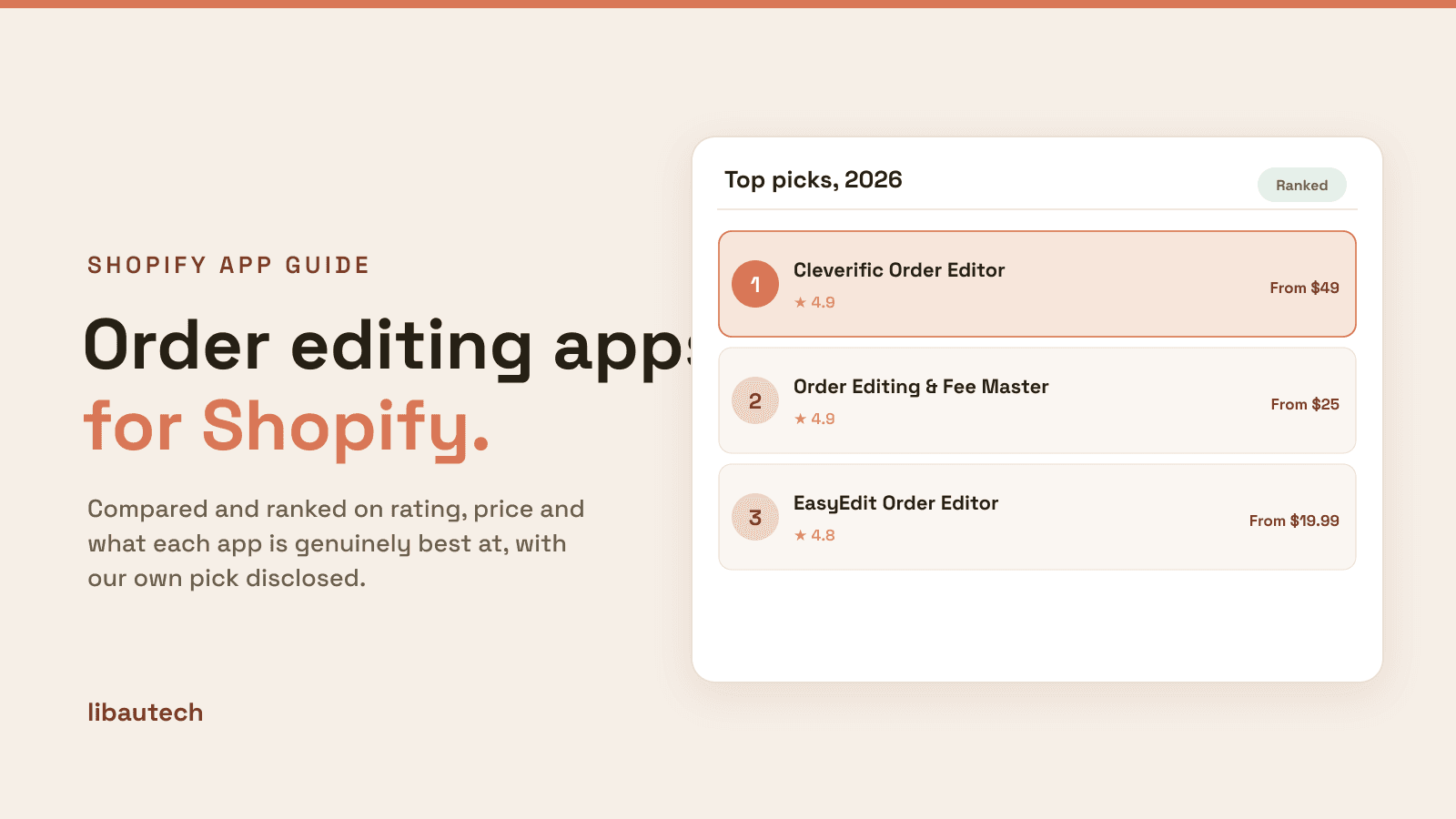
| Cleverific Order Editor | ⭐ 4.9 (500+) | Free trial | $49/mo | Merchant editor | Most-installed comprehensive editor, B2B and custom orders |
| Order Editing & Fee Master | ⭐ 4.9 (200+) | Free trial | $25/mo | Merchant editor | Edit fees, refunds, tax adjustments at lower entry pricing |
| EasyEdit Order Editor | ⭐ 4.8 (200+) | Free trial | $19.99/mo | Merchant editor | Simple admin-side editing, lower-cost merchant editor |
| Yagi Address Edit Helper | ⭐ 5.0 (300+) | Yes | $4.99/mo | Self-serve modification | Customer-facing address editing, time-window control |
| Order Edit by Cleverific | ⭐ 4.9 (200+) | Yes | $19/mo | Self-serve modification | Variant swaps, address edits, full self-serve UI |
| ReturnGo Order Edit | ⭐ 4.9 (200+) | Free trial | $9.99/mo | Self-serve modification | Bundled with returns platform, address and variant swaps |
| Yagi Order Cancellable | ⭐ 5.0 (300+) | Yes | $4.99/mo | Cancellation | 5.0-star rating, time-window cancellation with reorder |
| Order Cancellable by Egnition | ⭐ 4.7 (200+) | Yes | $5.95/mo | Cancellation | Affordable cancellation with reason capture |
Layer 1: Comprehensive Merchant Order Editors
This layer is for stores with frequent merchant-side editing needs — custom orders, B2B operations with line-item adjustments, post-payment tax corrections, and complex order modifications that require admin oversight. The mechanics: app extends Shopify Admin with editing UI handling tax recalculation, payment capture for upgrades, refunds for downgrades, and audit trails. Three apps lead this layer.
1. Cleverific Order Editor
Best for: Shopify stores wanting the most-installed comprehensive order editor with self-serve customer workflows, B2B order management, and broad automation — the established editor for stores running custom orders and complex post-purchase modifications.

Cleverific Order Editor holds 4.9 stars across 500+ reviews — the most-installed comprehensive order editor on Shopify. The positioning is comprehensive merchant editing with optional customer-facing workflows: line-item editing (add, remove, swap products), shipping address updates, billing address corrections, tax recalculation when shipping zones change, payment adjustments (capture additional payment for upgrades, refund for downgrades), automation rules (auto-add gifts with purchase, split bundles into individual line items at order placement), and customer self-serve workflows for common modifications.
The B2B and custom order positioning matters specifically for stores running wholesale, made-to-order, or complex pricing. Custom orders typically require multiple line-item adjustments after initial placement — Cleverific handles these through draft orders and order editing under one workflow rather than forcing manual recreation. For wholesale stores where order changes happen 30-50% of the time, this efficiency compounds across hundreds of monthly orders.
Core features: comprehensive line-item editing (add, remove, swap, modify); shipping and billing address updates; tax recalculation across zones; payment adjustments with automatic capture and refund; automation rules for gifts, bundles, and product swaps; draft orders for custom orders; abandoned cart recovery via payment requests; customer self-serve workflows for shipping address and product swaps; integration with Shopify Online Store 2.0 themes; merchant dashboard with edit history and audit trails.
Where it falls short: pricing entry point ($49/mo) higher than EasyEdit or Order Editing & Fee Master for stores not using B2B or custom order workflows. Setup complexity is real for stores configuring automation rules. Best for established stores with frequent order modifications rather than first-time deployments.
Pricing: Free trial. Paid plans from $49/mo.
2. Order Editing & Fee Master
Best for: Shopify stores wanting comprehensive order editing with fee management, refund automation, and tax adjustments at meaningfully lower entry pricing than Cleverific — the budget-conscious comprehensive editor pick.
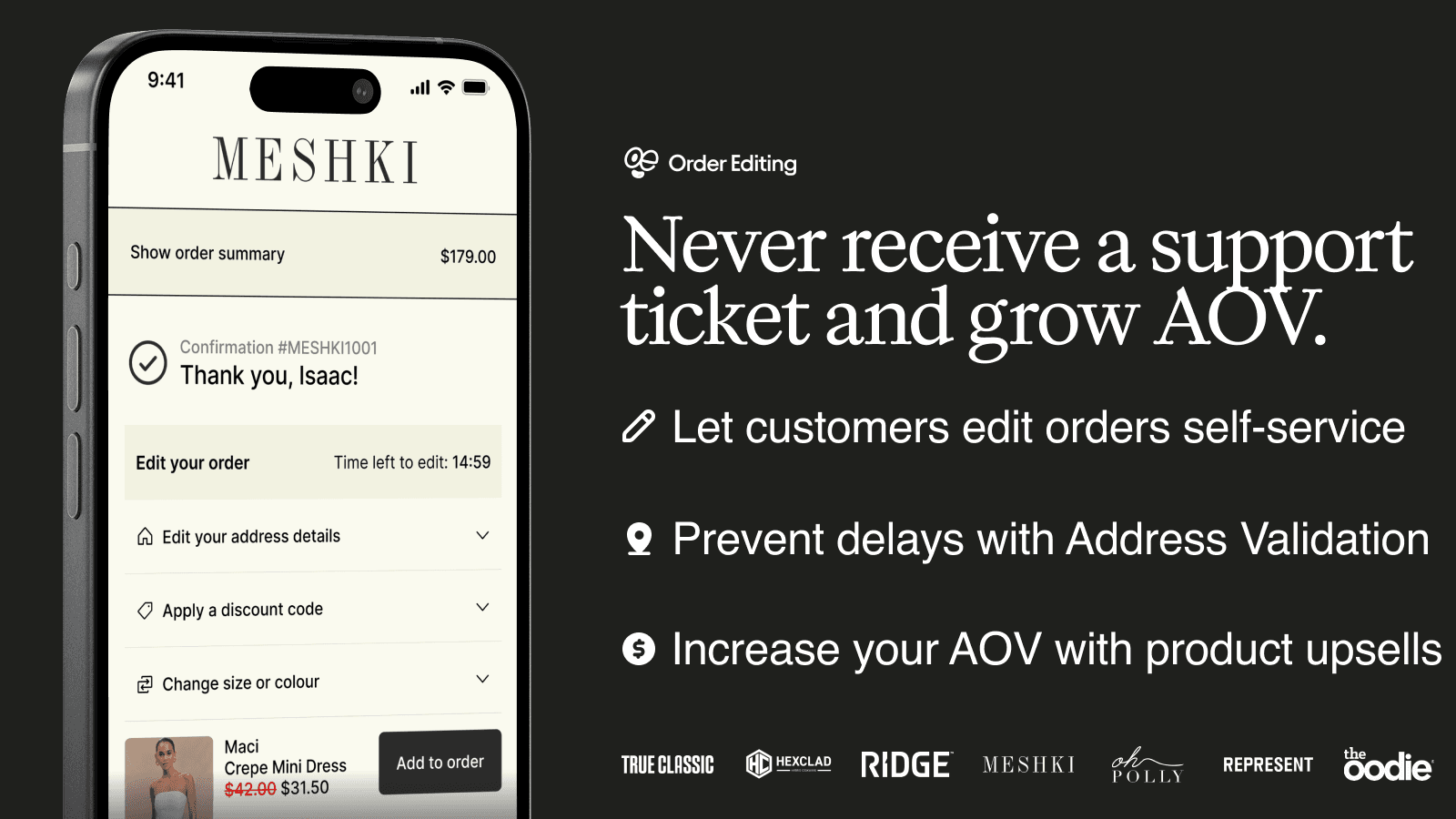
Order Editing & Fee Master holds 4.9 stars across 200+ reviews. The positioning is comprehensive merchant editing with focus on fee and refund workflows: line-item editing, custom fee addition (rush fees, surcharges, custom service charges), refund automation with reason categorization, tax adjustments when shipping zones or product compositions change, and integration with Shopify's payment processing for automatic capture and refund.
The fee management matters specifically for stores adding post-purchase charges. A custom apparel store might need to add a $25 rush fee when customers request expedited production after placing an order; a wholesale store might need to add a custom freight surcharge after weight is finalized. Order Editing & Fee Master handles these fee additions with automatic payment capture rather than forcing manual invoicing workflows.
Core features: line-item editing on existing orders; custom fee addition with payment capture; refund automation with reason categorization; tax recalculation; shipping address updates; billing address corrections; integration with Shopify Online Store 2.0 themes; merchant dashboard with edit and fee analytics.
Where it falls short: less polished customer self-serve workflows than Cleverific. Smaller installed base. Best for merchant-side editing rather than customer-facing modifications.
Pricing: Free trial. Paid plans from $25/mo.
3. EasyEdit Order Editor
Best for: small-to-mid Shopify stores wanting simple admin-side order editing with shipping address corrections, product swaps, and basic line-item adjustments — the budget merchant editor pick.
EasyEdit Order Editor holds 4.8 stars across 200+ reviews. The positioning is focused affordable merchant editing at the lowest entry tier in the layer ($19.99/mo): line-item editing (add, remove, swap), shipping address corrections, basic billing updates, and refund processing for partial cancellations. For stores wanting merchant-side editing without the comprehensive feature sets and pricing of Cleverific, EasyEdit covers the standard use cases at meaningfully lower cost.
The narrow scope is the strength. Where Cleverific bundles B2B workflows and automation rules and Order Editing & Fee Master bundles custom fee management, EasyEdit focuses on basic line-item and address editing and ships at $19.99/mo entry tier. For stores with simpler editing needs, this focused approach earns its cost without paying for unused features.
Core features: line-item editing on existing orders; shipping address corrections; basic billing updates; refund processing for partial cancellations; integration with Shopify Online Store 2.0 themes; merchant dashboard with edit history.
Where it falls short: smaller feature set than Cleverific or Order Editing & Fee Master. No automation rules. Best for stores with simple editing needs rather than complex order modification workflows.
Pricing: Free trial. Paid plans from $19.99/mo.
The Honest Trade-Off: Native Shopify Order Editing Limitations
Worth saying explicitly: Shopify Admin includes native order editing functionality. Merchants can edit unfulfilled orders to add or remove line items, update shipping addresses, and modify quantities through the standard order detail page — no third-party app required for these basic edits.
The native limitations are specific. Tax recalculation is partial (some adjustments don't propagate to tax automatically). Payment adjustments require manual capture or refund through Shopify Payments rather than automatic processing. Customer-facing self-serve workflows don't exist natively — Shopify Admin only supports merchant-side edits. Edit history and audit trails are basic. For stores hitting these specific gaps, third-party apps extend functionality with automation, audit trails, and customer-facing workflows.
The signal that Layer 1 apps earn their cost: frequent merchant editing volume (10+ orders modified per week), B2B operations with line-item adjustments, custom orders requiring repeated modification, or operational chaos from manual payment capture/refund workflows. The signal that they're premature: occasional editing handled by native Shopify Admin tools and customer-facing modifications happening through email support rather than self-serve.
Layer 2: Customer Self-Serve Order Modification
This layer is for stores wanting to reduce support volume on common order modification requests by enabling customers to handle changes themselves. The mechanics: app adds editing UI to the order status page or account page, customer drives the change, app validates against business rules (time windows, product restrictions), and the change applies automatically without merchant approval. Three apps lead this layer.
4. Yagi Address Edit Helper
Best for: Shopify stores wanting customer-facing shipping address editing with time-window control and product-tag restrictions — the focused address self-serve pick at the lowest entry pricing.
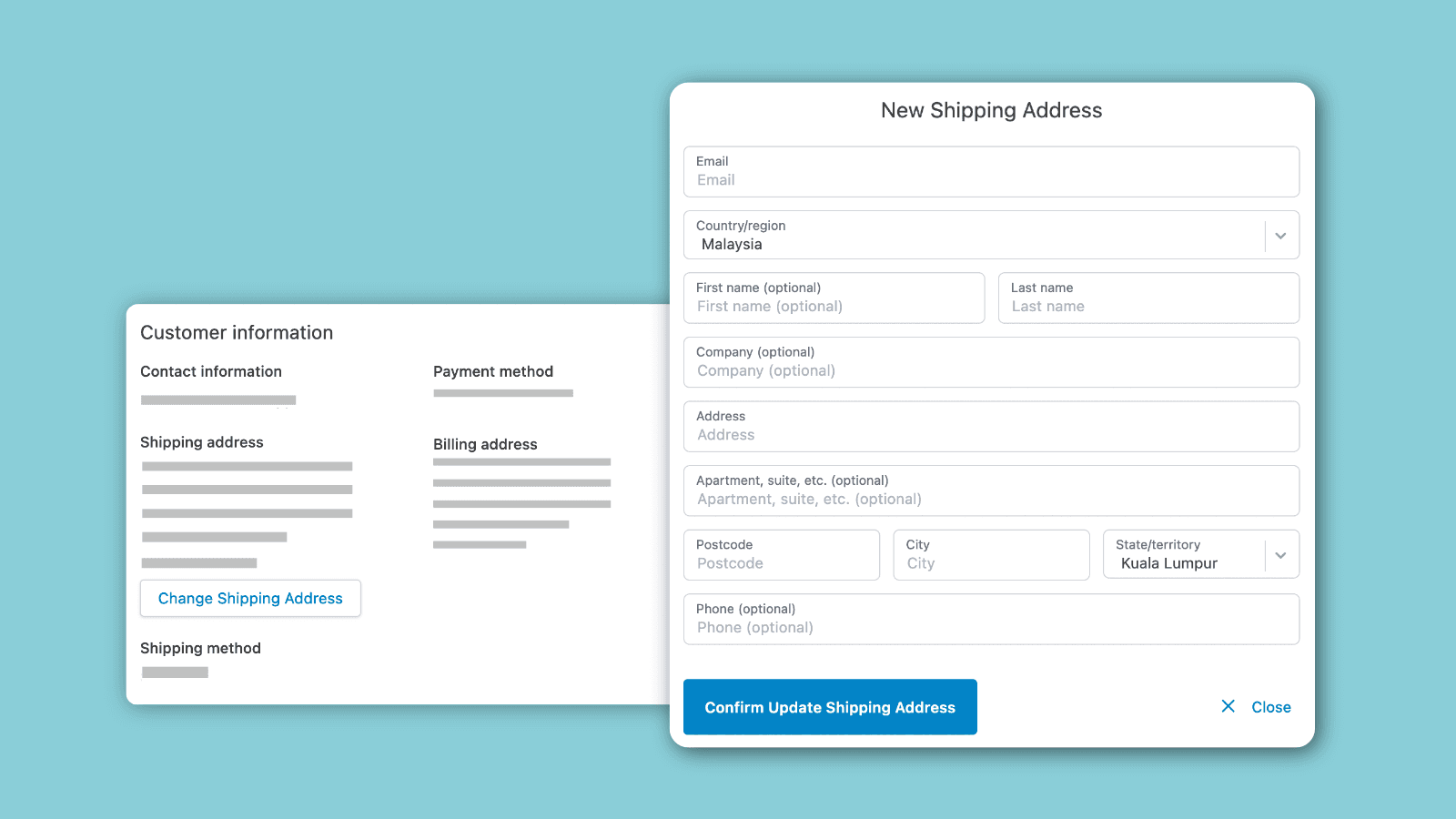
Yagi Address Edit Helper holds 5.0 stars across 300+ reviews. The positioning is focused customer-facing address editing: customers can update their shipping address from the order status page within configurable time windows (typically 1-48 hours of order placement), product-tag restrictions prevent address changes on specific products (subscription orders, pre-orders, made-to-order items), and automatic validation prevents customers from changing addresses on already-fulfilled orders.
The address editing positioning matters specifically because address changes drive disproportionate support volume. Of typical "can you change my order" support tickets on Shopify stores, 40-60% are address corrections (customer typo, customer moved between order placement and shipping, gift recipient address change). Self-serve address editing handles this entire support category without merchant touch — the single highest-ROI customer self-serve feature.
The time-window control matters for fulfillment operations. Stores with same-day fulfillment cutoffs need address changes blocked after the daily fulfillment window starts; stores with 48-hour processing can allow longer modification windows. Yagi's configurable windows align self-serve editing with operational reality rather than forcing all-or-nothing access.
Core features: customer-facing shipping address editing from order status page; configurable time windows (default 1-48 hours); product-tag restrictions for non-editable orders; automatic validation against fulfillment status; email notifications when addresses change; integration with Shopify Online Store 2.0 themes; merchant dashboard with edit analytics.
Where it falls short: focused only on address editing — no variant swaps, no line-item changes. Stores wanting broader self-serve modifications need Order Edit by Cleverific or ReturnGo. Best as a focused address-editing tool stacked alongside other self-serve apps rather than a comprehensive solution.
Pricing: Free plan available. Paid plans from $4.99/mo.
5. Order Edit by Cleverific
Best for: Shopify stores wanting comprehensive customer self-serve modification including address editing, variant swaps, and product changes — the broad self-serve modification pick.
Order Edit by Cleverific holds 4.9 stars across 200+ reviews. The positioning is comprehensive customer self-serve modification: shipping address editing, billing address updates, variant swaps (size changes, color changes within the same product), product additions to existing orders (customers can add items to orders before fulfillment), and order-level modifications with automatic payment adjustment when changes affect order total.
The variant swap feature matters specifically for apparel and sized products. Customers ordering the wrong size ("I meant medium, not large") drive 20-30% of order modification requests on apparel stores. Order Edit handles these self-serve with automatic inventory checks and pricing adjustments — customer requests medium, app verifies medium is in stock, swaps the variant, and processes any pricing differences automatically.
Core features: customer-facing address editing; variant swaps with inventory validation; product additions to existing orders; billing updates; automatic payment adjustments; configurable time windows and rules; integration with broader Cleverific platform; integration with Shopify Online Store 2.0 themes; merchant dashboard with self-serve analytics.
Where it falls short: pricing entry point ($19/mo) higher than Yagi Address Edit's $4.99/mo for stores wanting only address editing. Setup complexity moderate for stores configuring variant-swap rules and inventory restrictions. Best for stores wanting comprehensive self-serve modification rather than focused address-only editing.
Pricing: Free plan available. Paid plans from $19/mo.
6. ReturnGo Order Edit
Best for: Shopify stores already using ReturnGo for returns and exchanges wanting bundled order editing under one platform — the bundled-platform pick for stores consolidating returns, exchanges, and order edits.
ReturnGo Order Edit holds 4.9 stars across 200+ reviews. The differentiating positioning is bundled functionality with ReturnGo's broader returns platform: customer self-serve order modification (address edits, variant swaps, product changes) integrated with the same ReturnGo dashboard handling returns, exchanges, and store credits. For stores already using ReturnGo for post-fulfillment returns, the order editing layer adds pre-fulfillment modification under one platform.
The bundled positioning matters specifically for stores running mature returns programs. Rather than running ReturnGo for returns plus a separate app for order editing, the consolidated platform handles both pre-fulfillment modifications and post-fulfillment returns through one customer-facing portal and one merchant dashboard. For mature post-purchase operations, this consolidation simplifies workflows.
Core features: customer-facing address editing and variant swaps; bundled with ReturnGo returns and exchanges platform; unified customer portal for modifications and returns; merchant dashboard combining edit and return analytics; integration with Shopify Online Store 2.0 themes.
Where it falls short: only meaningful for stores already committed to ReturnGo's broader platform — standalone value is less compelling than dedicated alternatives. Pricing scales with overall ReturnGo subscription. Best for ReturnGo customers extending into order editing rather than standalone deployments.
Pricing: Free trial. Paid plans from $9.99/mo (bundled with ReturnGo).
Layer 3: Customer Cancellation and Reorder
This layer is for stores where pre-fulfillment cancellation requests drive meaningful support volume. The mechanics: app adds cancellation buttons to order confirmation emails and order status pages, validates cancellations against time-window and product-tag rules, processes refunds automatically, and optionally captures cancellation reasons for analytics. Two apps lead this layer.
7. Yagi Order Cancellable
Best for: Shopify stores wanting 5.0-star-rated customer self-serve cancellation with time-window control, reorder workflows, and product-tag restrictions — the focused cancellation pick.
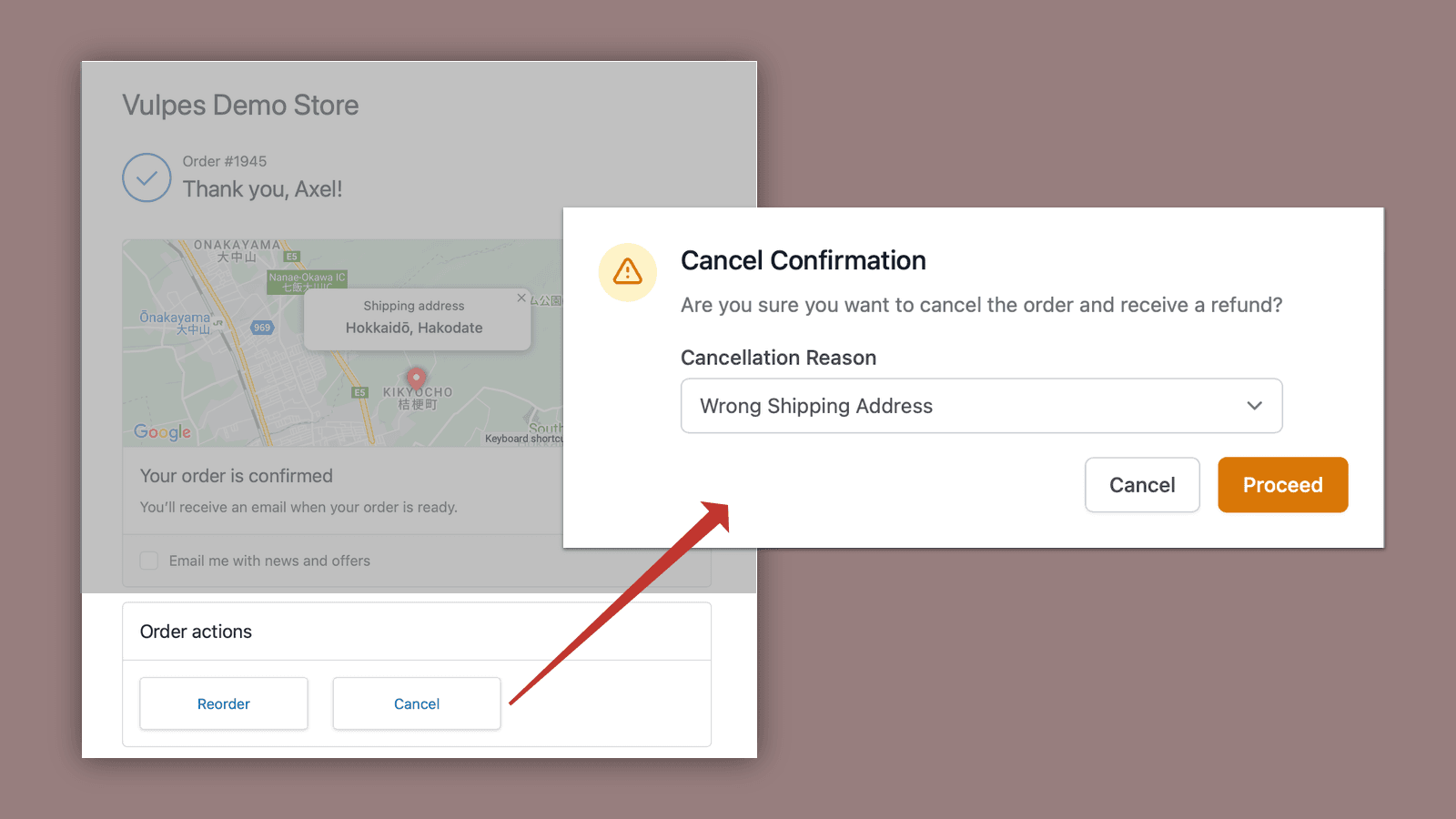
Yagi Order Cancellable holds 5.0 stars across 300+ reviews. The positioning is focused customer-facing cancellation with reorder support: one-click cancellation from order status page or order confirmation email, configurable time windows (typically 1 hour to 24 hours), one-click reorder for customers cancelling due to address corrections or wrong-product orders, product-tag restrictions preventing cancellation on subscription orders or pre-orders, and integration with Shopify checkout extensibility for app block placement on Thank You and Order Status pages.
The time-window pattern matters specifically. The vast majority of legitimate cancellations come within 60 minutes of order placement — customer realized they ordered the wrong size, accidentally double-clicked, or found a discount code right after ordering. Setting a 1-hour cancellation window lets customers self-serve in the high-frequency window while protecting later orders from cancellation chaos that would disrupt fulfillment operations.
The reorder workflow matters for preserving revenue. Customer cancels a $75 order due to accidentally selecting the wrong product, then has to manually rebuild their cart with the right product — typical cart abandonment in this scenario is 30-40%. Yagi's one-click reorder lets customers cancel and immediately reorder with corrected selections, preserving the sale rather than losing it to abandonment.
Core features: one-click cancellation from order status page and email; configurable time windows; one-click reorder for cancelled orders; product-tag restrictions; checkout extensibility integration for Thank You/Order Status page placement; integration with Shopify Online Store 2.0 themes; merchant dashboard with cancellation analytics.
Where it falls short: focused only on cancellation — no broader order editing. Stores wanting comprehensive self-serve modifications need to stack with Yagi Address Edit Helper or Order Edit by Cleverific. Best as a focused cancellation tool alongside other self-serve apps.
Pricing: Free plan available. Paid plans from $4.99/mo.
8. Order Cancellable by Egnition
Best for: small-to-mid Shopify stores wanting affordable customer cancellation with reason capture and basic time-window control — the budget cancellation pick with cancellation analytics.
Order Cancellable by Egnition holds 4.7 stars across 200+ reviews. The positioning is affordable customer-facing cancellation with focus on cancellation reason capture: customers can cancel within configurable time windows, app prompts for cancellation reason (wrong product, change of mind, found better price, address mistake), reason data feeds into analytics for merchant insight into why customers cancel, and basic refund processing.
The reason capture matters specifically for operational improvement. Stores receiving 30-50 monthly cancellations without reason data can't identify patterns ("40% of cancellations are wrong-product orders — our checkout UX needs to make product selection clearer"). Order Cancellable's structured reason capture surfaces these patterns for merchants to act on.
Core features: customer-facing cancellation with configurable time windows; cancellation reason capture with structured options; refund processing; merchant dashboard with cancellation reason analytics; integration with Shopify Online Store 2.0 themes.
Where it falls short: 4.7-star rating reflects more polish gaps than 5.0-rated Yagi. No reorder workflow for cancelled orders. Best for stores prioritizing reason analytics over reorder preservation.
Pricing: Free plan available. Paid plans from $5.95/mo.
Which Order Editing App to Choose
For most-installed comprehensive merchant editor with B2B and custom orders: Cleverific Order Editor. 4.9 stars, 500+ reviews, $49/mo entry, the established pick for stores with frequent merchant-side editing.
For comprehensive merchant editing with fee management at lower entry pricing: Order Editing & Fee Master. 4.9 stars, $25/mo entry, the budget-conscious comprehensive pick.
For simple admin-side order editing at lowest entry pricing: EasyEdit Order Editor. 4.8 stars, $19.99/mo, the budget merchant editor pick.
For customer-facing shipping address editing with time-window control: Yagi Address Edit Helper. 5.0 stars, 300+ reviews, $4.99/mo entry, the focused address self-serve pick.
For comprehensive customer self-serve modification including variant swaps: Order Edit by Cleverific. 4.9 stars, $19/mo, the broad self-serve pick.
For ReturnGo customers wanting bundled order editing: ReturnGo Order Edit. 4.9 stars, bundled with returns platform.
For 5.0-star customer cancellation with reorder workflows: Yagi Order Cancellable. 5.0 stars, 300+ reviews, $4.99/mo, the focused cancellation pick.
For affordable cancellation with reason capture analytics: Order Cancellable by Egnition. 4.7 stars, $5.95/mo, the budget cancellation pick.
For most Shopify stores in this category, the honest framing is layer-stacking. Most stores benefit from at least one Layer 2 customer self-serve app (Yagi Address Edit Helper at $4.99/mo handles 40-60% of typical order modification requests) plus optionally Layer 3 cancellation (Yagi Order Cancellable at $4.99/mo handles pre-fulfillment cancellations). Total customer-facing stack runs under $10/mo and reduces support volume 60-80% on common order modification requests. Layer 1 comprehensive merchant editors only earn their cost on stores with frequent merchant-side editing (10+ orders modified weekly), B2B operations, or custom order workflows. The most common order-editing mistake is installing Cleverific's $49/mo Pro tier when the actual support volume is just "can you change my shipping address?" — stack two Yagi apps for $10/mo and cover most use cases.
How We Ranked These Apps
This ranking is based on four criteria applied to every Shopify order editing app tested in 2026. First, Shopify App Store rating and verified review volume as of April 30, 2026 — the strongest signal of long-term merchant satisfaction at scale. Second, fit-to-job for which of the three layers each app actually solves (comprehensive merchant editor, customer self-serve modification, or cancellation/reorder) rather than treating these as a single category. Third, pricing structure and total cost at realistic merchant volumes — a $4.99/mo focused self-serve tool and a $49/mo comprehensive merchant editor handle different scopes, and the math depends on which layer the store actually needs based on support volume and order modification complexity. Fourth, time-window and rule customization fit, since merchant satisfaction depends on whether the app's time-window controls match operational reality (fulfillment cutoffs, customer-service expectations).
Every pricing and feature figure in this post was verified directly from each app's live Shopify App Store listing on April 30, 2026. App pricing structures change — always confirm current pricing on the official listing before installing. Ratings and review counts reflect the Shopify App Store at the time of our last update.
Frequently Asked Questions
What is a Shopify order editing app?
A Shopify order editing app handles one of three distinct jobs. Comprehensive merchant order editors (Cleverific, Order Editing & Fee Master, EasyEdit) handle admin-side edits to line items, taxes, billing, and shipping with full payment adjustment workflows. Customer self-serve modification apps (Yagi Address Edit Helper, Order Edit by Cleverific, ReturnGo Order Edit) let customers update shipping addresses or swap variants from the order status page. Customer cancellation apps (Yagi Order Cancellable, Order Cancellable by Egnition) handle one-click cancellation with reorder workflows.
What is the best Shopify order editing app in 2026?
Depends on the layer. For comprehensive merchant editing: Cleverific Order Editor (4.9 stars, 500+ reviews, $49/mo) or Order Editing & Fee Master ($25/mo). For customer self-serve modification: Yagi Address Edit Helper (5.0 stars, $4.99/mo address-focused) or Order Edit by Cleverific ($19/mo comprehensive). For cancellation: Yagi Order Cancellable (5.0 stars, $4.99/mo with reorder) or Order Cancellable by Egnition ($5.95/mo with reason capture). Pick the layer first based on actual operational bottleneck.
How much do Shopify order editing apps cost?
Entry tiers range from free (most apps offer free plans) to $4.99-19.99/mo for self-serve and cancellation apps. Comprehensive merchant editors run $19.99-49/mo on entry tiers, scaling with order volume on enterprise tiers. The right app costs less than $30/mo for most stores once the actual editing layer is identified.
Does Shopify support order editing natively?
Partially. Shopify Admin includes native order editing for unfulfilled orders — merchants can add or remove line items, update shipping addresses, and modify quantities through the standard order detail page. The native limitations: tax recalculation is partial, payment adjustments require manual capture/refund, customer-facing self-serve workflows don't exist natively, and edit history/audit trails are basic. Third-party apps extend native functionality with automation, audit trails, and customer-facing workflows.
What is the difference between merchant editing and customer self-serve?
Different mechanics solving different problems. Merchant order editors (Layer 1) handle admin-side edits requiring merchant judgment — line-item swaps, custom fees, tax corrections. Customer self-serve apps (Layer 2) let customers handle their own modifications within configurable rules — address corrections, variant swaps, basic changes. Most stores benefit from Layer 2 apps to reduce support volume on common requests, with Layer 1 for complex modifications requiring merchant oversight.
How much does customer self-serve order editing reduce support volume?
60-80% on common order modification requests. The math: a store with 1,000 monthly orders typically receives 30-50 order modification requests (3-5% of orders). Self-serve apps handle 60-80% of these without support touch, freeing 15-30 hours of monthly support time. Address corrections account for 40-60% of modification requests, making address self-serve the highest-ROI starting point.
What time window should I set for cancellations?
1 hour is the standard recommendation. The vast majority of legitimate cancellations come within 60 minutes of order placement — customer realized wrong size, accidentally double-clicked, found discount code, or recognized address mistake. A 1-hour window covers 70-85% of legitimate cancellations while protecting later orders from cancellation chaos that disrupts fulfillment. Stores with longer fulfillment lead times can extend to 24-48 hours; stores with same-day fulfillment may need shorter windows.
Can customers cancel orders that have shipped?
No, cancellation apps validate against fulfillment status — once a Shopify order is marked as fulfilled, cancellation buttons disable automatically. Stores with shipped orders need to handle cancellation as a return through returns and exchanges apps rather than cancellation apps. The split: pre-fulfillment is cancellation, post-fulfillment is return.
Should I install both customer self-serve and merchant editing apps?
Most stores benefit from layer-stacking. Layer 2 customer self-serve apps (under $10/mo combined for address editing plus cancellation) handle 60-80% of common modifications without merchant touch. Layer 1 comprehensive merchant editors ($25-49/mo) handle the complex modifications customers can't self-serve (custom orders, B2B adjustments, post-fulfillment edits). Stack both for comprehensive coverage; install only Layer 2 if comprehensive merchant editing isn't a frequent need.
Will order editing apps slow down my Shopify store?
Modern apps load asynchronously with minimal storefront page-speed impact — customer self-serve UI renders on order status pages after initial load rather than blocking. Merchant editor apps run server-side in Shopify Admin without storefront impact. Always test page speed before and after install with Google PageSpeed Insights to confirm impact on your specific theme.
Think Your App Belongs on This List?
We update these lists as new tools launch and existing ones improve. If you are a developer building a Shopify order editing, self-serve modification, or cancellation app and want your app considered for inclusion, submit it here — tell us what your app does, who it is for, and include a link to your Shopify App Store listing. We review every submission.