
Best Shopify Workflow Automation Apps (2026)
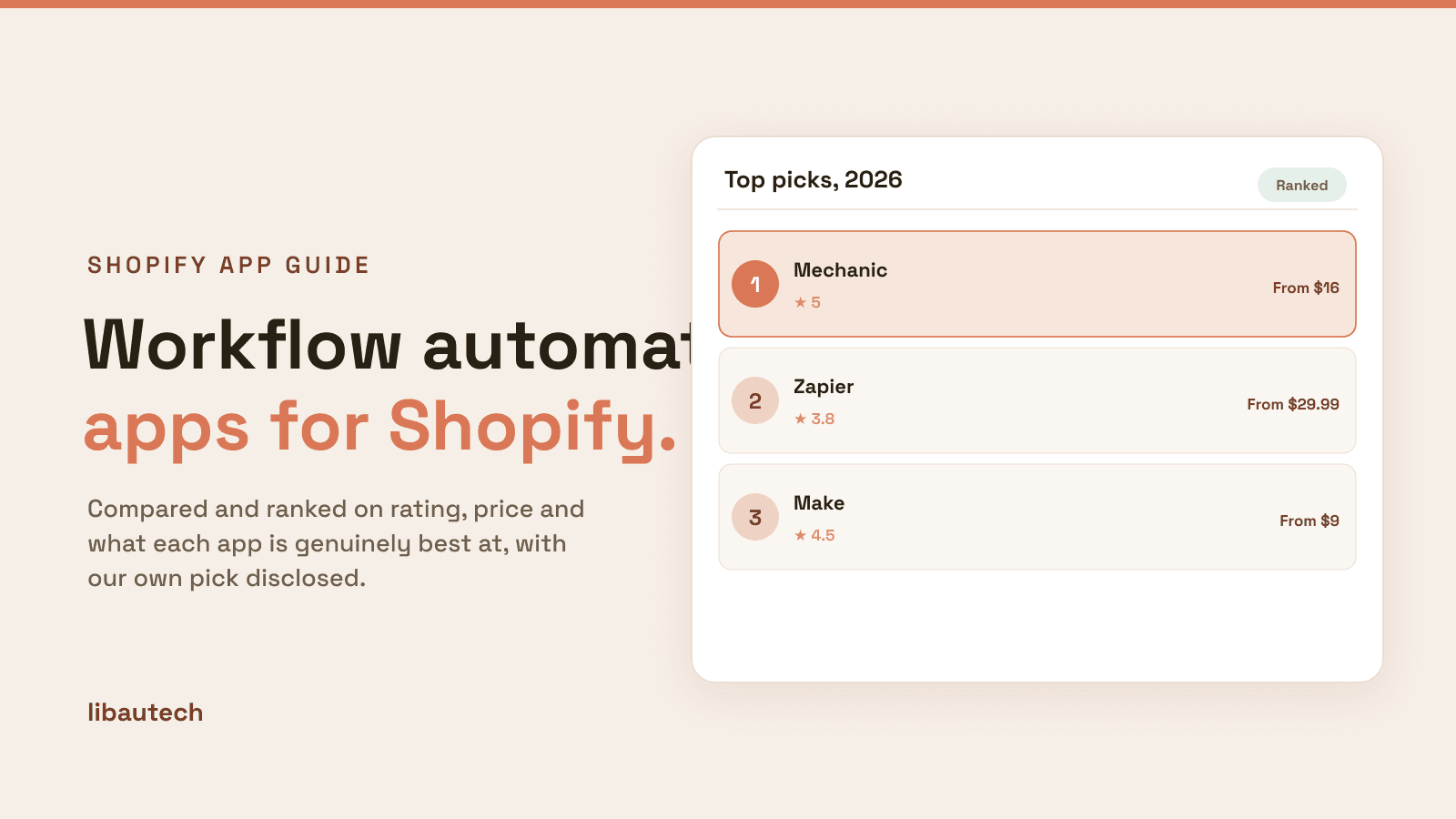
Last updated: May 2026 · Pricing and ratings verified from live Shopify App Store listings on May 4, 2026 · Reviewed by the Libautech team — builders of Bundles & Upsell and 8 other Built for Shopify apps used by 5,000+ merchants across 50+ countries.
Key Takeaways
- Workflow automation apps solve four distinct jobs — in-Shopify automations (tag customers, hide products, trigger emails), cross-app integrations (Shopify to Klaviyo, Slack, Google Sheets), data sync to back-office systems (CRM, ERP, accounting), and scheduled or rule-based bulk actions. The right tool depends on which job is the bottleneck, not which automation platform has the most logos.
- Shopify Flow is free on every Shopify plan as of 2023, and that single change made most paid automation apps redundant for in-store workflows. For most merchants, Flow is the right starting point and often the only automation tool ever needed — opening it and configuring three workflows today returns more than installing any third-party app.
- Zapier (3.8/5, from $29.99/mo) and Make (4.5/5, from $9/mo) are the cross-app glue for connecting Shopify to tools outside the Shopify ecosystem. Zapier wins on simplicity and the 6,000+ connector library; Make wins on power, branching logic, and price at scale — most stores moving from Zapier to Make at the same workflow count save 60-80% on monthly cost.
- The most valuable automations are the boring ones: tag VIP customers automatically, alert support on high-value orders, push refund data to accounting, route returns by category. ROI compounds because automations run 24/7 without supervision — a tag-VIP rule that fires 50 times per month for two years is 1,200 manual decisions a human did not have to make.
- Over-automation is a real risk. Every automation is code that breaks when an upstream API changes, when a tag gets renamed, or when a workflow conflicts with another workflow no one remembered. Document each one with a clear name, the trigger, the purpose, and the owner — and review quarterly to kill the ones that no longer matter.
- Mechanic (5.0/5, from $16/mo) and Arigato (5.0/5, from $15/mo) are the power-user options when Shopify Flow runs out of room. Liquid-based tasks, full Shopify API access, and community task libraries that solve operational edge cases Flow cannot reach — the right tools for stores that have already maxed out what Flow can do.
Who Needs a Workflow Automation App, and Why?
A workflow automation app runs the repetitive tasks that eat your team's time: tagging orders, flagging high-risk ones, sending internal alerts, syncing data between tools, all triggered automatically by events in your store. It removes manual busywork and the errors that come with it.
You need one if you find yourself doing the same admin steps every day, run operations across several tools, or are scaling and cannot keep doing everything by hand. A very simple store may not have enough to automate yet.
The Four Jobs of Shopify Workflow Automation Apps
Most workflow automation app lists rank 12 tools by review count and recommend Zapier for everyone. That framing misses how this category actually works. A Shopify store wanting to tag VIP customers automatically based on lifetime spend, a multi-channel operator pushing order data from Shopify into Klaviyo and a Slack channel and Google Sheets simultaneously, an enterprise merchant syncing orders bidirectionally with NetSuite or QuickBooks, and a high-volume store running scheduled inventory imports from a supplier CSV every hour all solve completely different jobs — and the right app depends on which automation job is the binding constraint. Workflow automation apps cover four distinct jobs, and the strongest stacks rarely involve picking one "best app" without first identifying which job needs solving.
The first job is in-Shopify automation. Tag customers based on order history, hide out-of-stock products, send internal alerts on high-value orders, auto-cancel risky orders flagged by fraud signals, trigger draft orders for B2B requests, and apply conditional logic across Shopify-native objects. The mechanics are straightforward — a trigger event in Shopify (order placed, customer created, product updated) plus a condition (filter on order value, customer segment, product tag) plus an action (in-Shopify operation like tagging, alerting, holding fulfillment). Best fit for every store, because every store has at least three of these workflows currently being run manually by a human reviewing dashboards.
The second job is cross-app integration. Shopify to Klaviyo for marketing automation, Shopify to Slack for team notifications, Shopify to Google Sheets for reporting, Shopify to a CRM for sales handoff, fulfillment to ShipStation, returns to Loop, accounting to QuickBooks. The mechanics involve a webhook from Shopify, optional data transformation in transit, and a push to the destination service. Best fit for stores using more than three other tools where data needs to flow between them on event triggers — the moment a manual export to CSV becomes a weekly task is the moment cross-app integration becomes ROI-positive.
The third job is data sync to back-office systems. ERP integrations like NetSuite or SAP, accounting systems like QuickBooks Online or Xero, and CRM systems like HubSpot or Salesforce all require heavier two-way syncs that cannot fail without breaking the books. The mechanics involve dedicated connector apps with retry logic, queue handling, conflict resolution, and the ability to reconcile state between two opinionated systems that may disagree about field formats. Best fit for enterprise and mid-market merchants with real back-office systems where the cost of a missed sync exceeds the cost of the connector itself.
The fourth job is scheduled and bulk actions. Run a price update at 9:00 AM Friday, archive abandoned drafts every Sunday, sync inventory from a supplier CSV every hour, push a stock report to the warehouse manager every morning. The mechanics involve cron-style scheduling layered on top of any of the above automation primitives. Best fit for any store running recurring operational tasks where consistency matters more than flexibility — scheduled jobs are how operations teams turn manual checklists into infrastructure.
How We Ranked These Apps
The ranking weighs five dimensions: capability depth (how complex a workflow can the tool actually express), reliability under load (does the automation hold up at production scale), pricing fit (does the cost scale linearly with usage), ecosystem coverage (how many other tools are connected), and merchant reviews on the live Shopify App Store as of May 2026. Apps that solve a niche automation job exceptionally well rank higher in their job category than apps with broader feature sets but weaker depth where it matters. Shopify Flow ranks first in the in-Shopify category because it is free, deeply integrated, and good enough for the vast majority of merchant needs — the cheapest correct answer beats the most feature-rich paid alternative for stores below the relevant complexity threshold.
1. Shopify Flow (Native)
Rating: Built into Shopify · Pricing: Free on all plans · Best for: Most stores running standard in-Shopify automations · Job solved: In-Shopify automation across orders, customers, products, and inventory

Shopify Flow used to be Plus-only. It has been free on every Shopify plan since 2023, and that single change made most third-party in-Shopify automation apps redundant. Triggers cover order events, customer events, product events, inventory events, and draft order events. Actions cover tagging, internal alerts, draft order creation, fulfillment holds, customer segmentation, and dozens more native operations. The template library means most common workflows can be cloned and customized in minutes rather than built from scratch.
If Shopify Flow has not been opened on the store, the right move is to set up three workflows today: tag customers as VIP after a lifetime spend threshold, alert the team in Slack on orders above a certain value, and tag risky orders for manual review based on Shopify's fraud risk signals. Those three workflows alone return more value than most paid automation apps deliver in their entire feature set, and they are the foundation for everything else. Flow's depth matches what 80% of stores actually need — third-party apps in this category compete primarily on the 20% of edge cases Flow cannot handle natively.
2. Mechanic by Lightward
Rating: 5.0/5 · Pricing: From $16/mo · Best for: Power users and developers who have outgrown Shopify Flow · Job solved: Deep in-Shopify automation with Liquid scripting and full API access
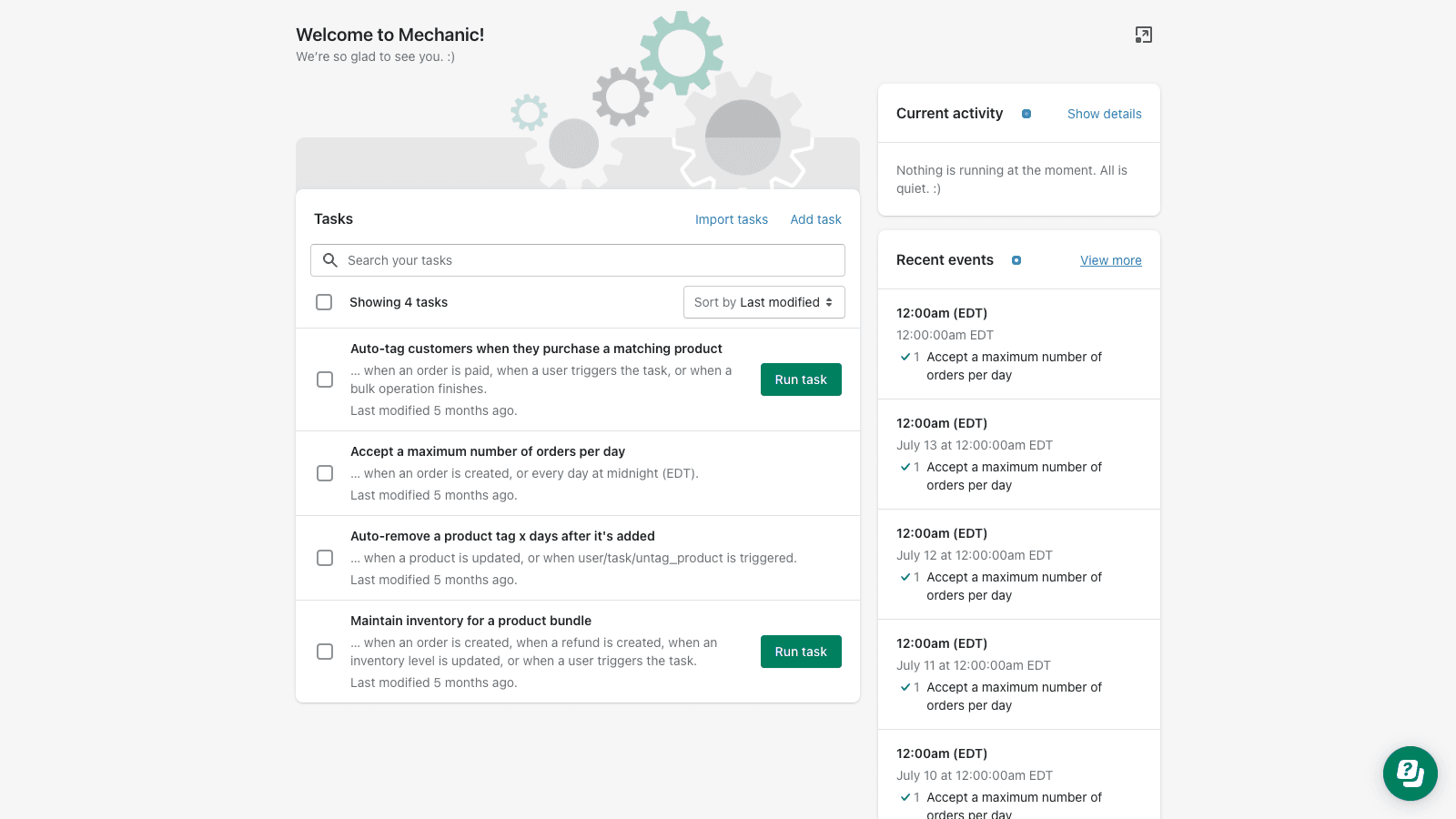
Mechanic is the Shopify automation tool for operators who have hit the ceiling of what Shopify Flow can express. Liquid-based tasks give merchants the same templating language used in themes, full Shopify Admin API access for any operation Flow does not expose natively, and a community task library that solves the long tail of operational needs (order risk scoring beyond Flow's built-in flags, custom inventory rules, complex tag manipulation, scheduled reports). The 5.0 rating reflects how unanimously this tool is loved by the merchants who genuinely need it — the use case is narrow but the depth is unmatched in the category.
If a merchant has ever thought "I wish Flow could do X" and X involved iterating over line items, conditional API calls based on multi-step logic, or scheduled execution beyond Flow's trigger model, Mechanic is where X already exists as either a built-in capability or a community-shared task. The pricing from $16/mo is fair for the power offered, and the user community shares production-tested tasks rather than rebuilding from scratch — a meaningful productivity multiplier when the merchant team has technical capability but not unlimited time.
3. Zapier
Rating: 3.8/5 · Pricing: Free plan, paid from $29.99/mo · Best for: Cross-app glue for non-developers connecting Shopify to other tools · Job solved: Cross-app integration without coding
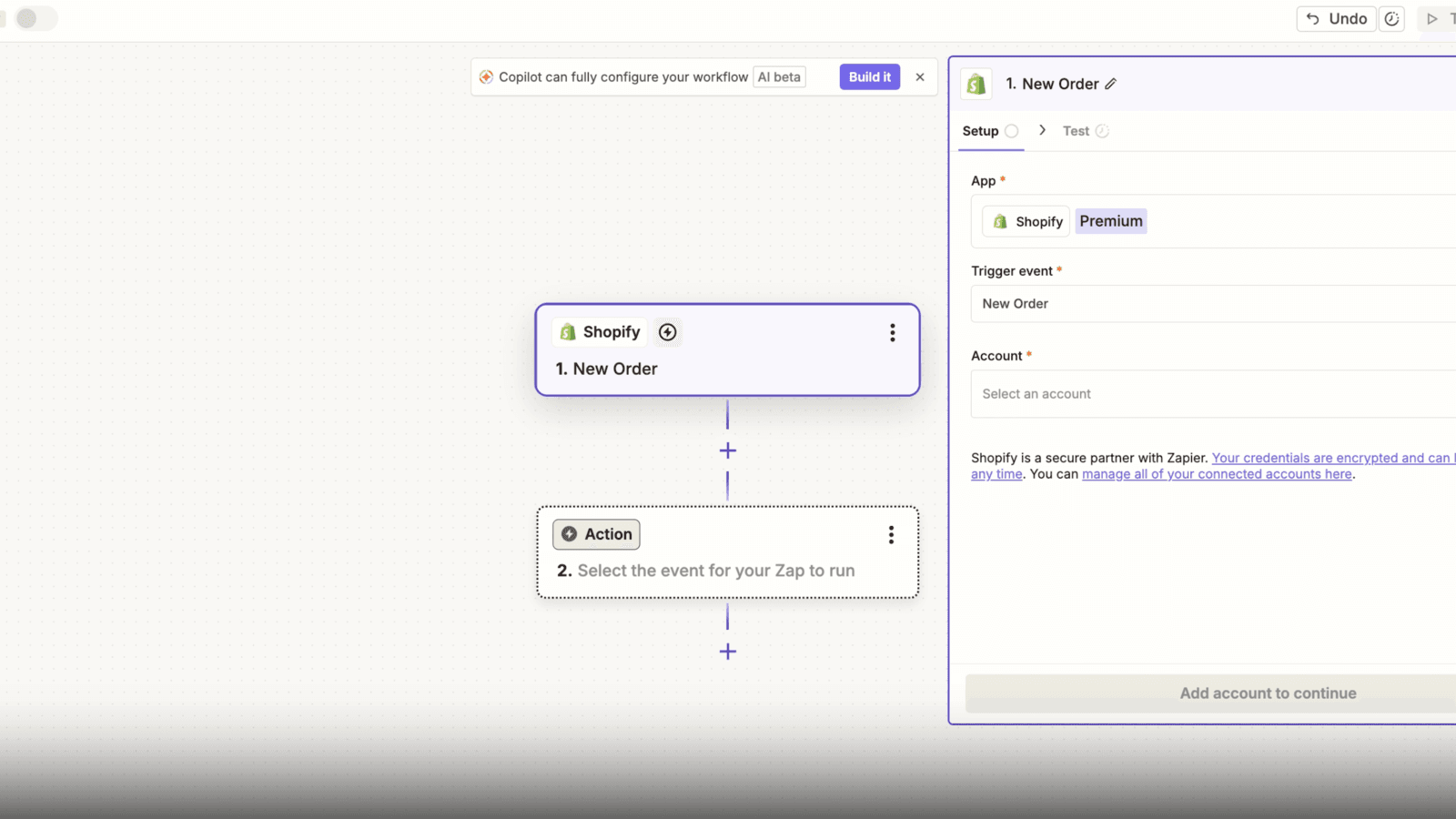
Zapier is the easiest cross-app integration tool on the market. 6,000+ app connectors, a no-code visual builder with a forgiving learning curve, and templates ("Zaps") for common cross-app workflows like Shopify-to-Klaviyo customer sync or Shopify-to-Slack order alerts. The 3.8 rating reflects user frustration with pricing that scales aggressively at higher task volumes — Zapier charges per task across multi-step workflows, so a single customer creation that triggers updates in three other tools counts as four tasks. The pricing surprise is the most-cited complaint in reviews.
For stores running fewer than 1,000 cross-app actions per month, Zapier is the right tool — the time savings on workflow building outweigh the per-task cost, and the connector library is genuinely the largest available. Above 1,000 actions per month, the math shifts toward Make. The transition path is clean — workflows built in Zapier translate conceptually to Make scenarios, even if the specific configuration has to be rebuilt — so starting with Zapier and migrating later is a reasonable trajectory for stores that grow past the cost-effective Zapier tier.
4. Make (formerly Integromat)
Rating: 4.5/5 · Pricing: Free plan, paid from $9/mo · Best for: High-volume cross-app automation where Zapier pricing becomes painful · Job solved: Cross-app integration with branching logic and per-operation pricing

Make is more technical than Zapier, more powerful, and significantly cheaper at volume. Visual scenario builder with complex branching support, error handling and retry logic, and pricing structured per operation rather than per task — meaning multi-step workflows do not multiply costs the way they do in Zapier. Stores that hit Zapier's per-task limits typically save 60-80% moving to Make at the same workflow count, and unlock branching capabilities Zapier handles awkwardly.
The learning curve is steeper. Make exposes more of the underlying automation primitives (HTTP modules, data transformation steps, iterators, aggregators), which is what makes it powerful but also what makes the first scenario harder to build than the equivalent Zap. The right time to use Make over Zapier is when the workflow has more than three steps, when branching logic is needed (do A if condition X, B if condition Y), or when monthly cross-app volume exceeds 5,000 operations. Below that threshold, Zapier's simplicity is worth the pricing premium.
5. SyncWith
Rating: 4.7/5 · Pricing: Free plan, paid from $7.99/mo · Best for: Pulling Shopify data into Google Sheets for custom reporting and dashboards · Job solved: One-way data sync from Shopify to Google Sheets
SyncWith pushes Shopify orders, products, customers, and inventory data into Google Sheets on a schedule. Looks simple from the outside, but for finance teams running custom dashboards in Sheets, this single capability replaces hours of manual export every week. Configurable refresh intervals (15 minutes to daily), filter logic to pull only relevant orders, and the ability to push to multiple sheets from a single Shopify source make it the right tool for store operators who live in spreadsheets rather than BI dashboards.
The limitation is that SyncWith is read-only — it pulls data out of Shopify into Sheets but does not write back. For stores wanting to manage Shopify data through Sheets (bulk price updates, inventory edits via spreadsheet), separate tools like Matrixify or Excelify handle the write-back direction. The pricing from $7.99/mo is among the cheapest in the workflow automation category, which makes it an obvious add-on for any store with a finance or operations team that builds reports in Google Sheets rather than Looker or Tableau.
6. HubSpot by HubSpot
Rating: 3.6/5 · Pricing: Free plan available · Best for: Stores using HubSpot CRM for B2B sales or marketing pipeline management · Job solved: Two-way data sync between Shopify and HubSpot CRM
HubSpot's official Shopify app syncs customers, orders, abandoned carts, and product data to HubSpot CRM. The 3.6 rating reflects mid-market complexity — mapping fields between two opinionated systems is rarely smooth, and the default field mappings often need customization to match how the store actually uses HubSpot. For HubSpot users it is still the right starting point because the alternative (custom API integration via Make or Zapier) requires meaningful technical work to replicate the bidirectional sync logic the official app provides out of the box.
The free plan covers basic customer and order sync. Paid plans unlock finer field control, deeper segmentation, and HubSpot's marketing automation features tied to Shopify events. For B2B Shopify stores using HubSpot to manage the sales pipeline alongside D2C transactions, this is the connector to install first — and the integration improves with each release as HubSpot's product team continues to address the field-mapping pain points cited in reviews.
7. Order Automator by Vladi Production
Rating: 4.9/5 · Pricing: Free plan, paid from $9.99/mo · Best for: Order-specific workflows like fraud routing, fulfillment holds, and tag-based automation · Job solved: Focused order-side automation with a friendlier interface than generic Flow workflows
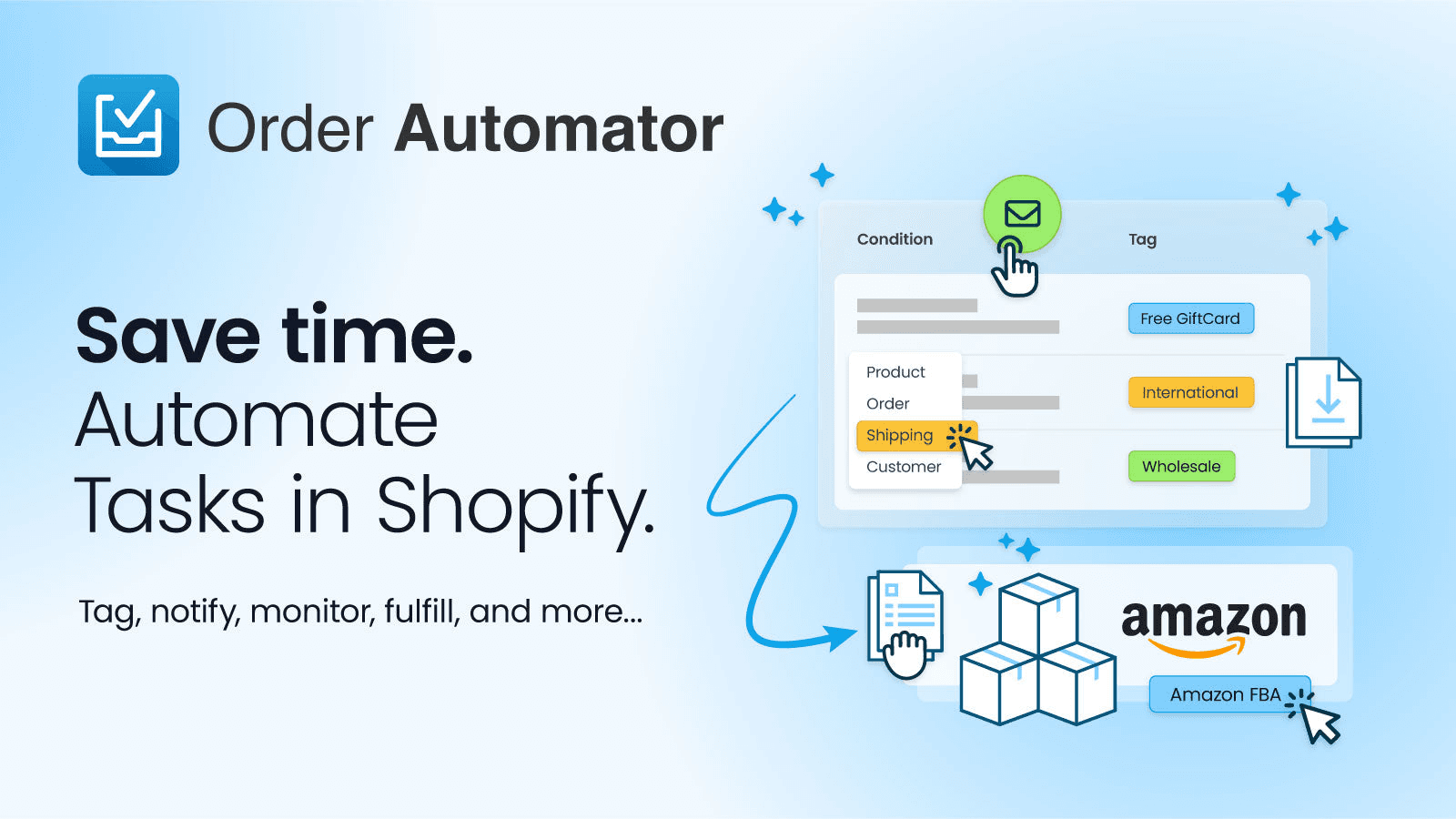
Order Automator is focused specifically on the order-side workflows — tag risky orders, hold fulfillment for high-value first-time orders, auto-archive certain order types, route orders by SKU or product tag. Narrower than Shopify Flow but with a friendlier interface for the order-specific use case, and pre-built rule templates for the most common order automation scenarios. Stores running paid ad spend and worried about chargebacks find this faster to set up than equivalent Flow workflows because the rule library is purpose-built for order routing rather than general-purpose automation.
The 4.9 rating reflects the focused product strategy — Order Automator does not try to be a Flow replacement, it tries to be the best tool for the order workflow specifically. The free plan handles up to 50 orders per month, paid tiers from $9.99/mo scale to higher volumes. For stores where Shopify Flow workflows around orders have become tangled with workflows around customers and products, separating the order logic into Order Automator and leaving the rest in Flow keeps each automation tree clean.
8. Arigato Workflow Automation
Rating: 5.0/5 · Pricing: From $15/mo · Best for: Shopify Plus operators wanting Liquid-driven automation with deep API access · Job solved: Power-user in-Shopify automation similar in spirit to Mechanic
Arigato is similar in spirit to Mechanic — deep, Liquid-based, developer-friendly automation that targets Shopify Plus operators who need flexibility beyond Flow but cleaner than gluing Make and Zapier together for in-Shopify operations. The 5.0 rating reflects how unanimously its core users recommend it. Common use cases include complex tag manipulation, custom order risk scoring, scheduled bulk operations, and conditional API calls that Flow cannot express.
The choice between Mechanic and Arigato comes down to community fit and specific feature preferences — both are excellent power-user tools and the merchant communities for each are active and helpful. From $15/mo, Arigato sits at a similar price point to Mechanic, and stores typically pick one based on which tool happens to have a community-shared task closer to the workflow they need. For stores whose in-Shopify automation needs have outgrown Flow, the right answer is whichever of these two the team is most comfortable building in.
Workflow Automation Apps Comparison Table
| App | Job | Rating | Pricing | Best For |
|---|---|---|---|---|
| Shopify Flow | In-Shopify automation | Native | Free on all plans | Most stores |
| Mechanic | Power-user in-Shopify | 5.0/5 | From $16/mo | Outgrown Flow, technical team |
| Zapier | Cross-app glue | 3.8/5 | Free, paid from $29.99/mo | Non-developers, <1000 actions/mo |
| Make | Cross-app at volume | 4.5/5 | Free, paid from $9/mo | High-volume, branching logic |
| SyncWith | Sheets data sync | 4.7/5 | Free, paid from $7.99/mo | Finance teams in Google Sheets |
| HubSpot | CRM sync | 3.6/5 | Free plan | HubSpot users |
| Order Automator | Order-specific rules | 4.9/5 | Free, paid from $9.99/mo | Paid ads, fraud routing |
| Arigato | Plus power-user | 5.0/5 | From $15/mo | Plus stores beyond Flow |
Picking the Right Stack by Store Stage
The right combination scales with operational complexity rather than store revenue. A small store under $500K with a single operator should use Shopify Flow only, free, and resist the temptation to install paid automation apps before Flow's limits have actually been hit. A growing store between $500K and $5M typically adds Zapier or Make to handle cross-app integrations once the tool stack expands beyond Shopify-native (email marketing, customer support, accounting, fulfillment) — Flow handles the in-Shopify side, Zapier or Make handles the cross-app glue, and the combination covers 90% of operational automation needs at this stage.
An enterprise or Plus store often runs Flow plus Mechanic or Arigato for power-user in-Shopify workflows, plus Make for cross-app integrations, plus dedicated connectors (HubSpot, NetSuite, Salesforce) for back-office sync. The key is to keep each tool in its lane — Flow for native Shopify operations, the power-user tool for what Flow cannot do, Make for cross-app, and dedicated connectors for back-office. The mistake to avoid is rebuilding the same workflow in two tools — if Flow can do it, do it in Flow, and save the paid automation tools for what Flow genuinely cannot reach.
The combinations to avoid: running both Zapier and Make in parallel (pick one as the cross-app glue), using Mechanic and Arigato side by side (they overlap heavily — pick whichever the team is more comfortable building in), and rebuilding native Flow workflows in third-party tools because of perceived "more power" that the workflow does not actually use. Workflow simplicity beats workflow flexibility almost every time when measured by maintenance burden 12 months out.
What Native Shopify Already Handles
Shopify's native automation capabilities have expanded significantly. Shopify Flow now handles in-Shopify automation across orders, customers, products, inventory, and drafts on every plan. Customer Segments handles dynamic customer grouping based on order behavior. Shopify Functions allow Plus stores to extend checkout, discounts, and shipping with custom code that runs natively on Shopify infrastructure. Shopify Bundles handles native product bundles without third-party apps. Shopify Markets handles cross-border tax and pricing logic.
What native Shopify still does not handle well: cross-app integration to non-Shopify tools (Zapier or Make needed), scheduled jobs running on cron-style timers (Mechanic, Arigato, or Make needed), bidirectional ERP and CRM sync with conflict resolution (dedicated connectors needed), and Liquid-based or API-driven automation beyond Flow's trigger-condition-action model (Mechanic or Arigato needed). Before installing a third-party automation tool, audit whether Flow plus Customer Segments would suffice — the cheapest correct answer beats the most feature-rich paid alternative every time.
How Workflow Automation Pairs with Conversion Tools
Workflow automation removes drag from operations, but the storefront still has to convert visitors into orders before any of those operational workflows have data to act on. Automation amplifies the volume that flows through the store; conversion tools determine what that volume looks like when it arrives. The combination is multiplicative — a store with strong conversion and weak automation overworks its team, a store with strong automation and weak conversion automates a small volume of orders, and the right approach is to treat both as parallel investments.
Libautech's Sticky Add to Cart keeps the buy button visible while customers scroll long product pages — the kind of small consistent lift that compounds with traffic and removes the most common conversion drop-off (scrolling past the add-to-cart button on mobile). Bundles & Upsell adds product page and cart upsells that automate AOV growth on every order — once configured, these run automatically on every product view without operator intervention, which is exactly the kind of automation leverage that compounds. Announcement Bar runs store-wide messaging on autopilot, which means seasonal promotions, free shipping thresholds, and shipping delay notices can be scheduled rather than manually edited. All three are available on the $14.99 per month Package plan, paying back faster than most workflow automation apps in saved manual conversion-rate work.
Common Workflow Automation Mistakes
The most expensive mistake in this category is over-automation. Every automation is code that breaks when an upstream API changes, when a tag gets renamed, or when a workflow conflicts with another workflow no one remembered existed. Stores that build 50 Flow workflows in their first month and forget to document them end up debugging the workflow tree during the busiest week of the year, when one workflow's tag rename quietly breaks three downstream rules. Document each workflow with a clear name, the trigger event, the business purpose, and the owner — and review the workflow inventory quarterly to kill the ones that no longer matter.
The second common mistake is rebuilding native Flow workflows in Zapier because Zapier is the team's existing tool. If a workflow trigger is "Shopify order created" and the action is "tag the customer in Shopify," that workflow belongs in Flow even if Zapier could technically do it. Zapier introduces a network round-trip, a third-party billing dependency, and a separate automation tree to maintain — all for a workflow Flow handles natively for free. Save Zapier for what crosses out of Shopify into another tool.
The third is ignoring error handling. Automations fail silently more often than they fail loudly. A Zapier task that errors might just stop running with no notification, leaving the team unaware that customers are not getting tagged or orders are not flowing to the CRM. Build error handling into every automation — Slack alerts on failure, fallback workflows that catch errors, and a weekly review of the task history to spot patterns. The team that respects automation hygiene saves hours every week; the team that does not ends up debugging at 11pm.
How Automation Affects Operational Capacity
Workflow automation is leverage on operator time. A store doing 100 orders per day where every order requires three minutes of manual operations work (tag customer, alert support, update spreadsheet) spends 5 hours per day on operational tasks. Automating those three operations turns 5 hours per day into zero — and that capacity gets reinvested into product, marketing, or customer experience. The math compounds: a $50/mo automation stack that saves 5 hours per day is paying back at $10 per hour saved, which is well below most operator hourly costs.
The capacity unlock matters more than the cost saving. Stores that use the recovered time to build new products, write better marketing, or improve customer experience grow faster than stores that simply pocket the time as efficiency. Automation is a forcing function — once the boring operational work is gone, the team has to either invest the recovered capacity into higher-leverage work or watch it dissipate into less productive activity. The merchants who treat workflow automation as a strategic capacity expansion rather than a cost reduction are the ones who get the largest compounding returns.
FAQ — Shopify Workflow Automation Apps
Do I need a third-party automation app if I use Shopify Flow? For most in-Shopify workflows, no. Shopify Flow is free on all plans and handles tagging, alerts, draft creation, fulfillment holds, and inventory rules natively. Third-party automation apps become necessary when the workflow crosses out of Shopify (Zapier or Make), when the in-Shopify logic exceeds Flow's capabilities (Mechanic or Arigato), or when scheduled execution is required beyond Flow's trigger model.
What is the difference between Zapier and Make? Zapier is simpler, has the largest connector library (6,000+ apps), and charges per task across workflow steps. Make is more technical, supports more complex branching logic, and charges per operation (which is cheaper at scale). For under 1,000 cross-app actions per month, Zapier's simplicity wins. Above that threshold, Make typically saves 60-80% on monthly cost.
Why is Shopify Flow free now when it used to require Plus? Shopify made Flow free on every plan in 2023 to encourage broader automation adoption across all merchants. The change made many paid in-Shopify automation apps redundant for standard workflows, and shifted the third-party automation market toward power-user tools (Mechanic, Arigato) and cross-app integration (Zapier, Make) where Flow cannot reach.
How do I decide between Mechanic and Arigato? Both are excellent power-user automation tools with similar pricing (around $15-16/mo) and similar Liquid-based capabilities. The choice usually comes down to community fit and specific feature preferences. Try the free trial on both with one production workflow each, and pick the tool whose interface and community feel more natural to the team — both have active communities sharing production-tested tasks.
Can I run Zapier and Make at the same time? Technically yes, practically no. Running both creates two separate automation trees to maintain, two billing relationships, and increased risk that a workflow conflict goes undetected because it spans two tools. Pick one as the cross-app glue and migrate the other tool's workflows over time.
What workflows should every Shopify store automate first? Three workflows pay back faster than anything else: tag VIP customers automatically based on lifetime spend, alert the team in Slack on orders above a high-value threshold, and tag risky orders for manual review based on Shopify's fraud risk signals. All three can be built in Shopify Flow in under 30 minutes total and replace meaningful ongoing manual work.
Is workflow automation worth it for a small store? Yes, but start with Shopify Flow only. The mistake small stores make is installing paid automation apps before exhausting Flow's free capabilities. Build three Flow workflows first, run them for 90 days, and only then evaluate whether a paid tool is needed for what Flow cannot reach. Most small stores discover Flow alone covers their needs through the first $1M in revenue.
Final Word
Automation is leverage when documented and operational debt when not. Build automations with the same care a developer would build code: name them clearly, document why each one exists, review them quarterly, and kill the ones that no longer matter. The team that respects automation hygiene saves hours every week and reinvests that capacity into product, marketing, and customer experience. The team that ships a workflow and forgets it ends up debugging it during the busiest week of the year, when the upstream tag rename quietly breaks three downstream rules and orders stop flowing to the CRM. Start with Shopify Flow, master what is free before paying for what is not, and treat every automation as code that will outlive the person who wrote it.