Adding an Etsy Buy Button to Your Shopify Store
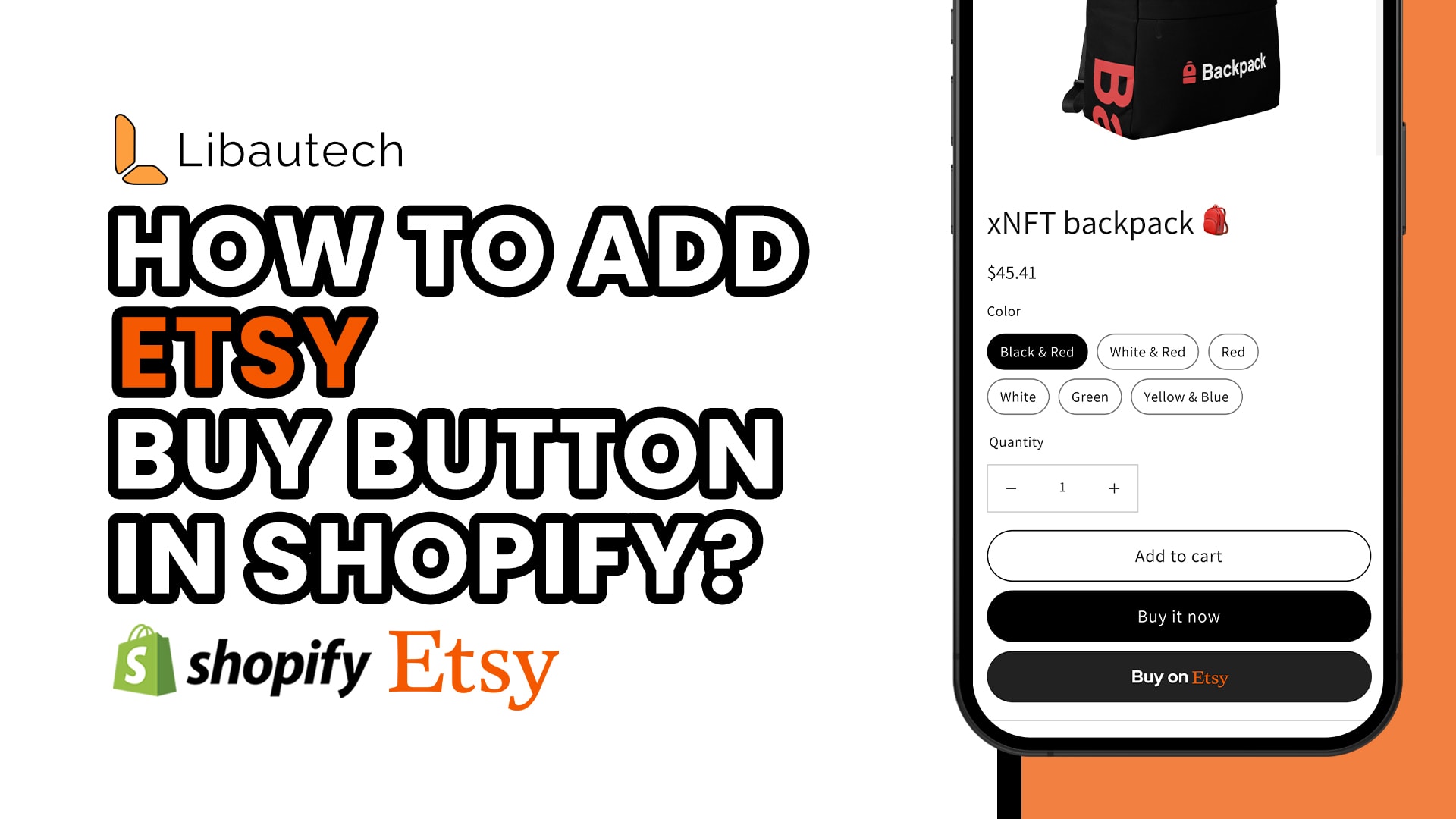
Are you an Etsy seller looking to expand your reach and drive more sales to your online store? Adding an Etsy Buy button to your Shopify store can be a game-changer. It allows your customers to easily purchase your products on Etsy, while also increasing your visibility on the Etsy marketplace. In this article, I will walk you through the simple process of adding an Etsy Buy button to your Shopify store using the Libautech Amazon Buy Button Shopify app.
Getting Started with the App
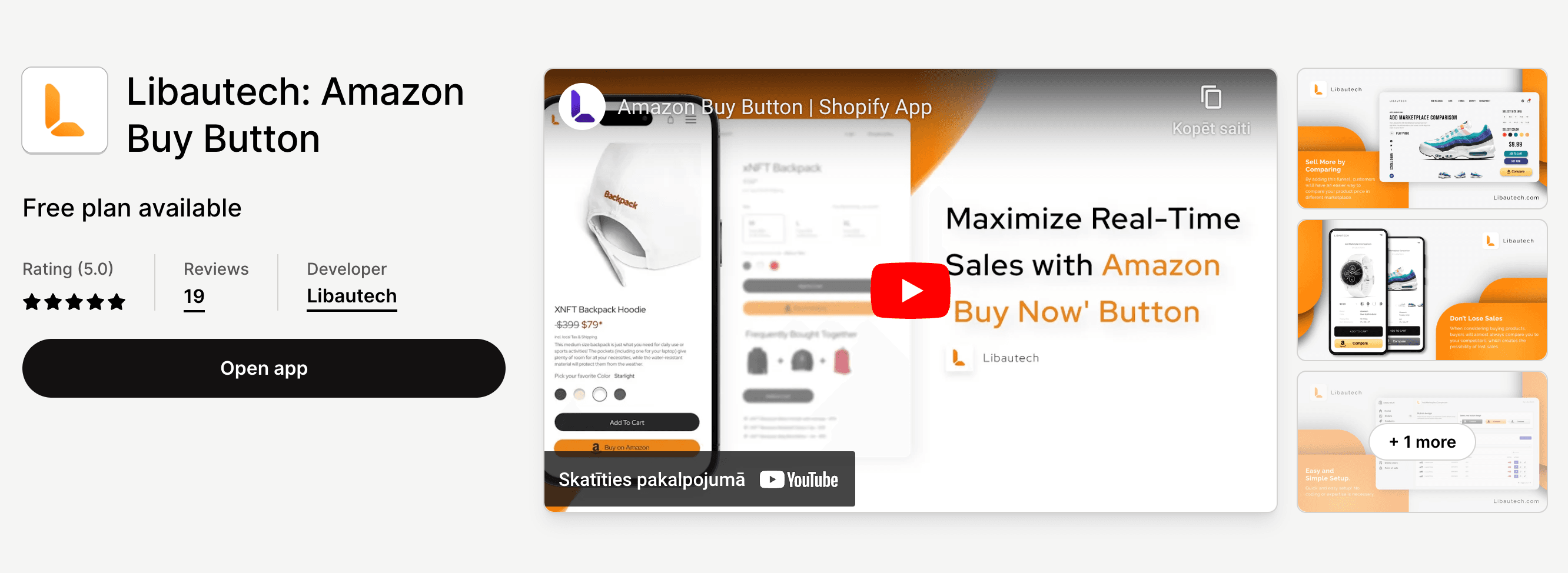
To begin, you'll need to install the Libautech Amazon Buy Button Shopify app, which supports various marketplace buttons, including Etsy. The app comes at a cost of $9.99 per month, but the benefits it provides make it well worth the investment.
Setting Up Your Etsy Buy Button
Once you have installed the app, the first step is to select the "Classic Setup" option. This will allow you to easily add the Etsy Buy button to your desired products. After selecting the products, you'll proceed to choose the marketplace, in this case, Etsy.
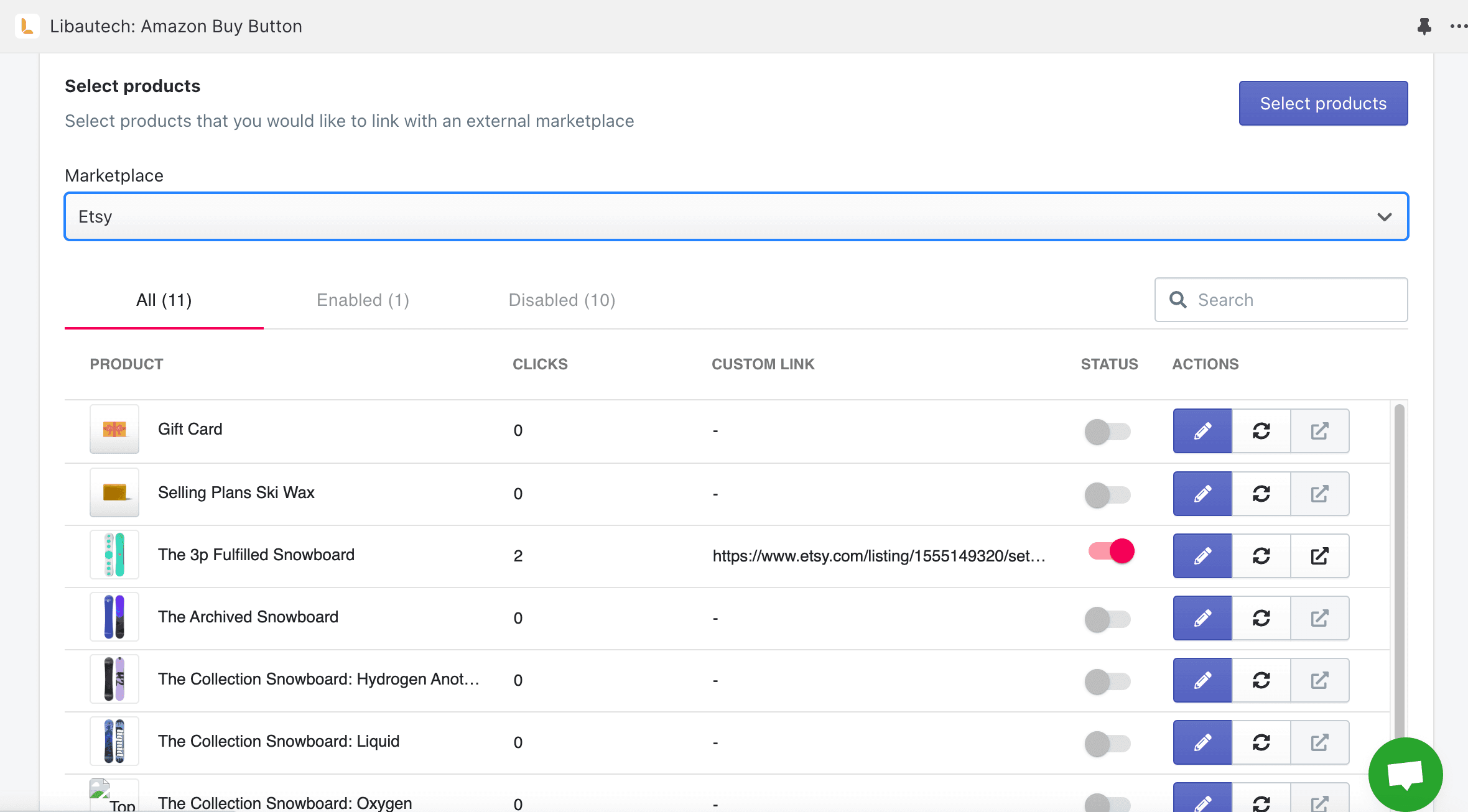
Next, press the "Edit" button for the selected product. This will take you to the product listing on Etsy. Copy the URL of your Etsy product listing. If you use Etsy affiliate, make sure to copy the link from there to include your affiliate tag. Once you have set up your affiliate tag, save the changes and enable the Etsy Buy button. It's as simple as that!
Testing the Etsy Buy Button
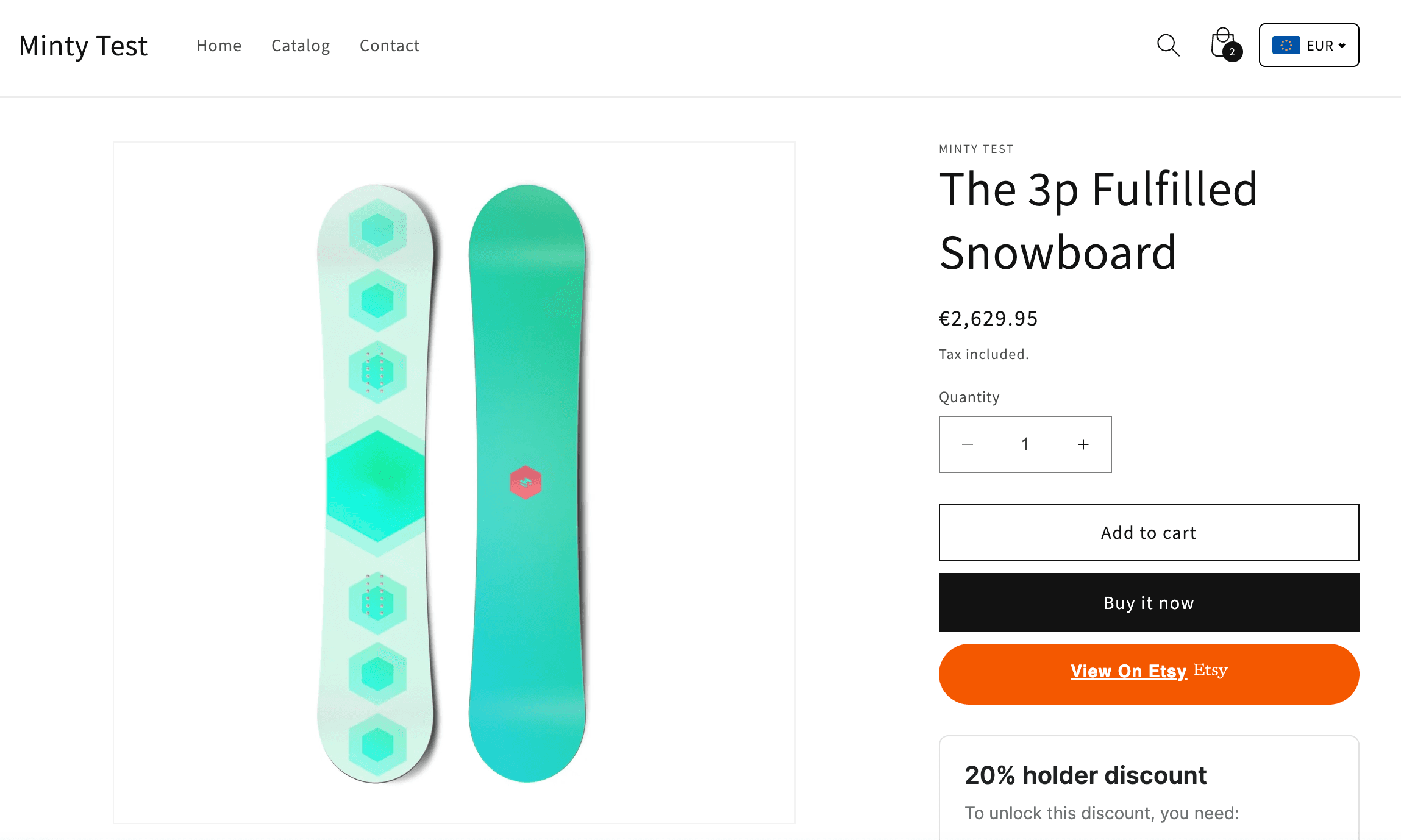
Now that you have added the Etsy Buy button, it's essential to test it out to ensure it functions correctly. On your Shopify store, locate the product with the Etsy Buy button and click on it. A "Buy on Etsy" button should appear. When you click on it, it will redirect you to your product listing on Etsy, where you can complete the purchase.
Customizing Your Etsy Buy Button
The Libautech Amazon Buy Button Shopify app offers some customization options for your Etsy Buy button. In the app settings, you will find three button color options: white, orange, and black. Select the color that aligns with your store's branding and design.
Furthermore, you have the option to modify the name of the button. For example, you can use "Buy on Etsy" as the button text, which instantly conveys to customers that they can purchase the product on the Etsy marketplace.
Additional Features and Support
The app also allows you to remove targeting country specifics. This means that the Etsy Buy button will be visible to customers from all regions, maximizing its potential for driving sales.
If you encounter any issues during the setup process or need assistance, the Libautech team is available to help. Simply reach out to their support team, and they will guide you through the process or troubleshoot any problems you may encounter.
Conclusion
By adding an Etsy Buy button to your Shopify store, you can expand your customer base and increase sales by leveraging the popularity of the Etsy marketplace. The Libautech Amazon Buy Button Shopify app makes the process seamless, allowing you to integrate the Etsy Buy button quickly and effortlessly.
Remember to install the app, follow the classic setup, select the desired products, and link them to your Etsy product listings. Test the button to ensure its functionality and customize the design and button text to align with your store's branding. And if you encounter any difficulties, the helpful support team at Libautech is just a message away.
So why wait? Start driving more sales and reaching a wider audience by adding an Etsy Buy button to your Shopify store today!