
8 Best Shopify Data Migration & Importer Apps (2026)
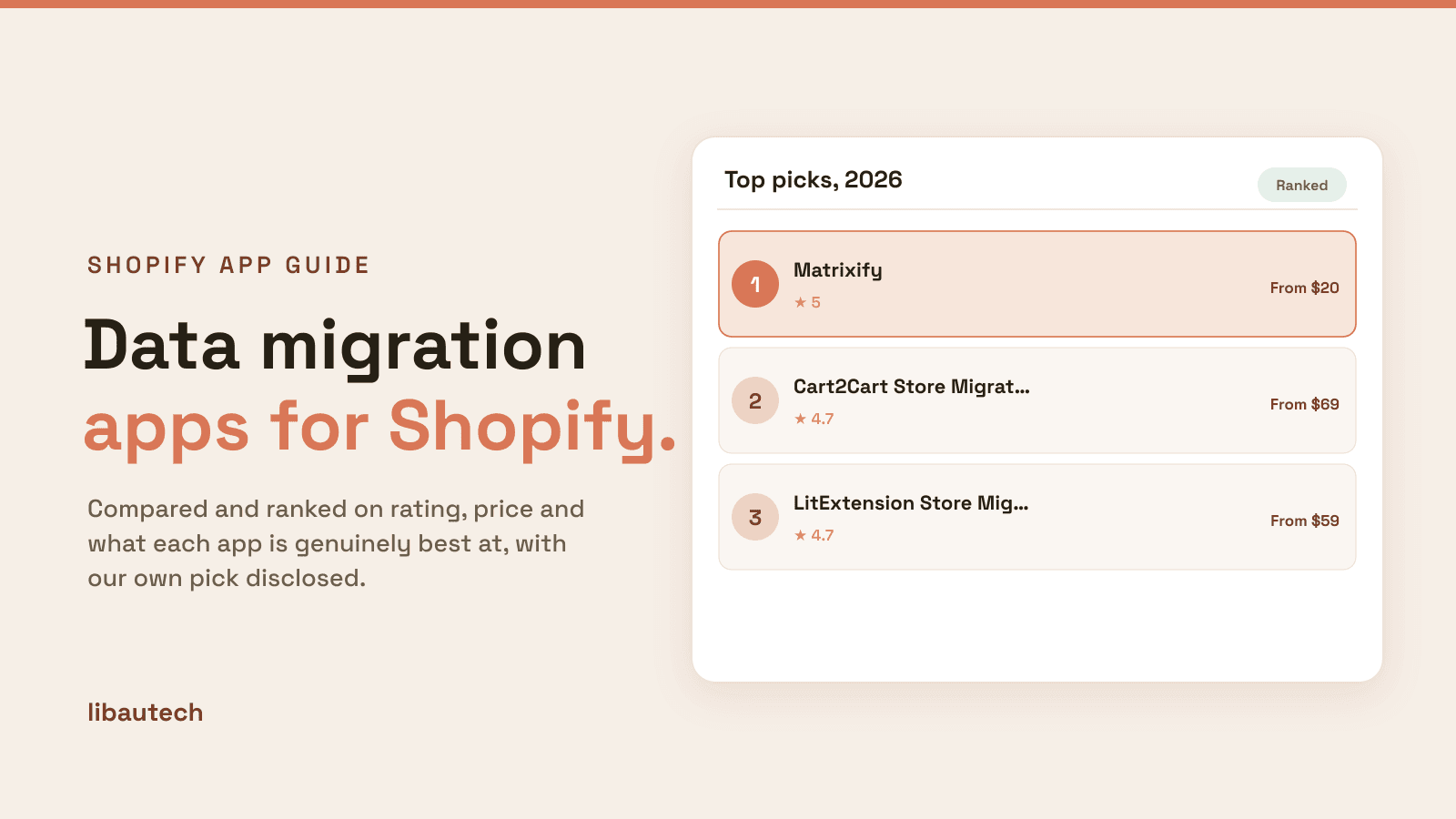
Last updated: April 2026 · Pricing and ratings verified from live Shopify App Store listings on April 30, 2026. Reviewed by the Libautech team — builders of Built for Shopify apps used by 5,000+ merchants across 50+ countries.
Key Takeaways
- Shopify data migration and importer apps split into three distinct jobs that competitor blogs treat as one. Comprehensive store migration platforms (Matrixify, Cart2Cart, LitExtension) handle full-store migrations from non-Shopify platforms (BigCommerce, WooCommerce, Magento) including products, orders, customers, gift cards, and SEO redirects. Product importer apps (Product Upload by Tezi, Importify, Spocket) handle URL-based product scraping from supplier websites for catalog expansion. Bulk editor apps (Matrixify, EZ Inventory, Easy Tools Bulk Editor) handle Excel/CSV-based bulk operations for ongoing catalog maintenance.
- Shopify's native Admin includes basic CSV import/export for products, customers, and orders. The native feature handles 50-60% of basic data needs (single-product CSV uploads, customer list imports, order export). Third-party apps earn their cost when stores migrate from non-Shopify platforms needing data type translation, scrape from supplier websites for catalog expansion, or run ongoing bulk operations beyond Shopify's CSV capabilities.
- Full-store migrations from non-Shopify platforms typically take 2-4 weeks for stores under 5,000 products and 4-12 weeks for stores at 50,000+ products including data validation, redirect mapping, and theme rebuild. The cost ranges $200-2,000 for self-serve migrations via Matrixify, $69-799 for managed migrations via Cart2Cart, and $5K-50K+ for white-glove migrations via LitExtension or specialized agencies. Underestimating migration time is the most common project mistake.
- SEO redirects are the highest-stakes migration deliverable. Stores migrating to Shopify lose 30-60% of organic traffic in the first 90 days when redirects are misconfigured — each old URL must redirect to the equivalent new URL via 301 redirects. Matrixify's redirect import and Shopify's URL Redirects feature handle this systematically. Stores skipping redirects can take 6-12 months to recover organic traffic.
- Pricing varies dramatically across layers. Comprehensive migration platforms run $20-400/mo with usage-based scaling (Matrixify Pro at $20-50/mo, Cart2Cart at $69-799 one-time per migration). Product importer apps run $9.99-49.99/mo flat. Bulk editor apps run $9.99-29.99/mo. The right app costs less than $50/mo for most stores once the actual migration scope is identified.
- The biggest migration mistake is starting without a redirect map. Stores planning a Shopify migration should export all old URLs first, map them to new Shopify URLs (using same slug structure when possible), and prepare 301 redirect rules before launch. Stores discovering missing redirects post-launch face 30-60% organic traffic loss that takes months to recover.
Who Needs a Data Migration App, and Why?
A data migration or importer app moves products, customers, orders and other records into Shopify, from another platform or a spreadsheet, and keeps them in sync. It turns a painful, error-prone manual export into a reliable bulk import, so nothing is lost in the move.
You need one if you are migrating to Shopify, bulk-importing a large catalog, or regularly updating many products at once. A tiny store entered by hand does not need it.
The Three Jobs of Shopify Data Migration and Importer Apps
Most roundups of Shopify data migration apps lump together full-store migration platforms, product importers, and bulk editor tools as if they're solving the same problem. They are not. A comprehensive store migration platform handles full-store migrations from non-Shopify platforms (BigCommerce, WooCommerce, Magento, Squarespace) translating data types between platforms, mapping orders and customers, and managing SEO redirects to preserve organic traffic. A product importer app handles URL-based product scraping from supplier websites or marketplace platforms for catalog expansion. A bulk editor app handles Excel/CSV-based bulk operations for ongoing catalog maintenance after stores are established. Different mechanics, different operational targets, different cost structures.
The honest framing: Shopify data migration and importer apps break into three distinct jobs. Most stores need different apps at different lifecycle stages — a full-store migration platform during the initial Shopify launch, product importers during catalog expansion phases, and bulk editors for ongoing maintenance once the store is established.
The first job is comprehensive store migration platforms — full-store migrations from non-Shopify platforms with data type translation, multi-entity migration (products, orders, customers, gift cards, blog posts, redirects), and SEO preservation. The mechanics: app extracts data from source platform via API or CSV export, transforms data structure to match Shopify's data model, imports to Shopify with validation, and generates 301 redirect mappings to preserve organic traffic. Matrixify, Cart2Cart Store Migration, and LitExtension lead this layer. The right pick during initial Shopify migration projects.
The second job is product importer and scraper apps — URL-based product importing from supplier websites, marketplace platforms (AliExpress, Amazon, Etsy), or specialized supplier networks. Different mechanics from migration platforms: app scrapes product data from external URLs (titles, descriptions, images, pricing, variants) and creates Shopify products from scraped data, often with AI-enhanced field recognition. Product Upload by Tezi, Importify, and Spocket lead this layer. The right pick during catalog expansion or dropshipping operations.
The third job is spreadsheet bulk editor apps — Excel/CSV-based bulk operations for ongoing catalog maintenance (mass price updates, bulk inventory adjustments, scheduled product updates, recurring exports). The mechanics: app provides Excel/CSV templates with all Shopify product/order/customer fields, validates uploaded files, and applies bulk changes with audit trails. Matrixify (also serves this layer), EZ Inventory, and Easy Tools Bulk Editor lead this layer. The right pick for ongoing operations once initial migrations are complete.
This post ranks 8 apps across the three jobs based on verified April 2026 Shopify App Store data and what each one actually solves.
Data migration apps stack with broader operational tools. See our guides on best Shopify bulk editor apps for the related ongoing bulk editing layer, best Shopify inventory sync apps for the related multi-channel inventory sync layer, and best Shopify sourcing apps for the related supplier sourcing layer that connects to product importers.
Quick Comparison: 8 Best Shopify Data Migration & Importer Apps (2026)
| App | Rating | Free Plan | Paid From | Layer | Best For |
|---|---|---|---|---|---|
| Matrixify | ⭐ 5.0 (600+) | Yes | $20/mo | Migration + bulk edit | Most-installed comprehensive platform, full-store migrations |
| Cart2Cart Store Migration | ⭐ 4.7 (200+) | Free demo | $69 one-time | Full-store migration | One-time managed migration, broad platform support |
| LitExtension Store Migration | ⭐ 4.7 (200+) | Free demo | $59 one-time | Full-store migration | Managed migration with SEO preservation focus |
| Importify | ⭐ 4.6 (500+) | Free trial | $14.95/mo | Product import | Multi-supplier dropshipping import |
| Spocket Import | ⭐ 4.6 (7,000+) | Yes | $29.99/mo | Product import | US/EU supplier network, faster shipping |
| Product Upload by Tezi | ⭐ 4.8 (300+) | Yes | $9.99/mo | Product import | AI URL scraping, multi-source product import |
| EZ Inventory | ⭐ 4.9 (200+) | Yes | $14.99/mo | Bulk editor | Inventory-focused bulk editing, scheduled imports |
| Easy Tools Bulk Editor | ⭐ 4.9 (200+) | Yes | $9.99/mo | Bulk editor | Affordable bulk editing, broad field coverage |
Layer 1: Comprehensive Store Migration Platforms
This layer is for stores migrating to Shopify from non-Shopify platforms (BigCommerce, WooCommerce, Magento, Squarespace, Wix). The mechanics: app extracts data from source platform via API or CSV export, transforms data structure to match Shopify's data model, imports to Shopify with validation, and generates 301 redirect mappings to preserve organic traffic. Three apps lead this layer.
1. Matrixify
Best for: Shopify stores wanting the most-installed comprehensive data platform handling full-store migrations, ongoing bulk edits, scheduled imports/exports, and complex data operations — the established platform for serious data operations.
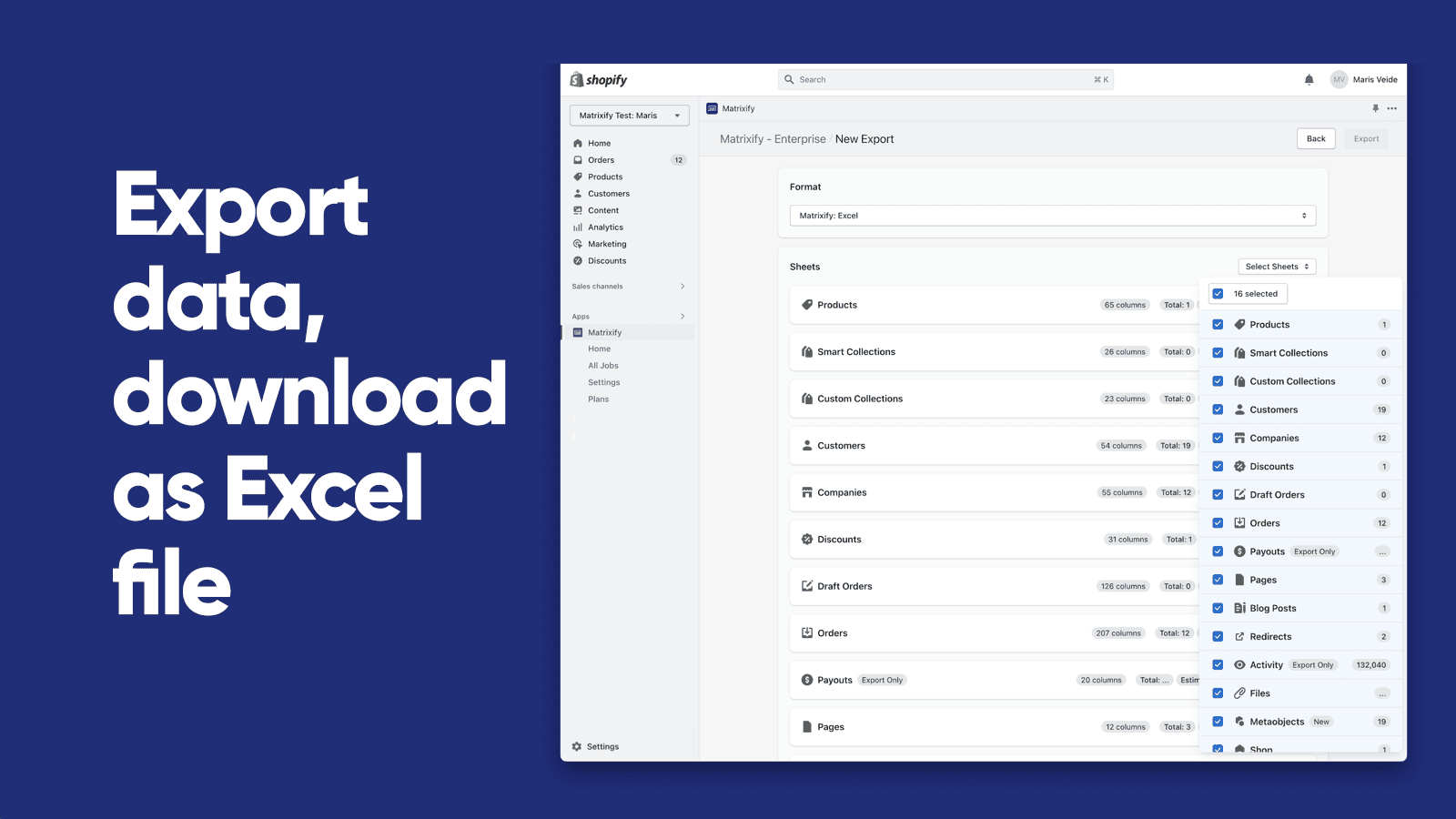
Matrixify holds 5.0 stars across 600+ reviews — the highest-rated comprehensive data migration platform on Shopify. The positioning is comprehensive data infrastructure: full-store migration support across all major platforms (BigCommerce, WooCommerce, Magento, Squarespace, Wix, Shopify-to-Shopify), Excel and CSV bulk operations, Google Sheets integration, FTP support for automated workflows, scheduled recurring imports/exports, and multi-entity coverage (products, orders, customers, gift cards, blog posts, pages, navigation menus, URL redirects).
The redirect handling matters specifically for SEO preservation during migrations. Stores migrating to Shopify need to map every old URL to the equivalent new Shopify URL via 301 redirects — missing redirects cause 30-60% organic traffic loss in the first 90 days. Matrixify's URL redirect import handles this systematically: export old URLs, map to new Shopify URLs in spreadsheet, import as redirect rules. For stores with significant organic traffic, this single feature can be worth thousands in preserved revenue.
The dual positioning (migration + ongoing operations) matters specifically for value over time. Where Cart2Cart and LitExtension serve one-time migrations, Matrixify continues earning its cost after migration through ongoing bulk operations — mass price updates, scheduled inventory imports, recurring exports for analytics, automated workflows via FTP. For stores with active operations beyond migration, this dual usage justifies the monthly subscription.
Core features: full-store migration from major non-Shopify platforms; multi-entity data coverage (products, orders, customers, gift cards, blog posts, pages, redirects); Excel and CSV bulk operations; Google Sheets integration; FTP support for automated workflows; scheduled recurring imports/exports; URL redirect import for SEO preservation; integration with Shopify Online Store 2.0 themes; merchant dashboard with comprehensive operation history and audit trails.
Where it falls short: pricing scales with operation volume on premium tiers — high-volume stores face higher monthly costs. Setup complexity is real for stores configuring complex migrations or scheduled operations. Best for established operations rather than first-time merchants intimidated by Excel-based workflows.
Pricing: Free plan available. Paid plans from $20/mo (Migration tier $50/mo).
2. Cart2Cart Store Migration
Best for: Shopify stores wanting one-time managed migration with broad source platform support and predictable per-migration pricing — the managed migration pick for stores wanting fixed-cost migrations.
Cart2Cart Store Migration holds 4.7 stars across 200+ reviews. The positioning is managed one-time migration: pre-built migration paths for 80+ source platforms (Magento, BigCommerce, WooCommerce, PrestaShop, OpenCart, Squarespace), guided migration wizard, customer support during migration, free demo to test data accuracy before paid migration, and predictable per-migration pricing rather than ongoing subscription.
The one-time pricing matters specifically for stores wanting fixed costs. Where Matrixify charges monthly subscription with usage-based scaling, Cart2Cart charges per-migration pricing typically ranging $69-799 depending on data volume and entities migrated. For stores running a single migration project without ongoing data operations needs, this approach delivers predictable cost forecasting.
Core features: 80+ source platform support; guided migration wizard; managed migration with customer support; free demo migration; predictable per-migration pricing; multi-entity data migration (products, orders, customers); URL redirect handling; integration with Shopify Online Store 2.0 themes.
Where it falls short: 4.7-star rating reflects more polish gaps than 5.0-rated Matrixify. Less ongoing operations support — once migration is complete, no ongoing value. Some merchant reviews flag occasional data accuracy issues during complex migrations. Best for stores with simple migration scenarios rather than complex multi-entity operations.
Pricing: Free demo. Paid migrations from $69 one-time.
3. LitExtension Store Migration
Best for: Shopify stores wanting managed migration with focus on SEO preservation and pre-migration consultation — the SEO-focused managed migration pick.
LitExtension Store Migration holds 4.7 stars across 200+ reviews. The differentiating positioning is managed migration with SEO preservation focus: pre-migration consultation to plan redirect strategy, post-migration support for SEO verification, broad source platform coverage similar to Cart2Cart, and SEO-focused migration workflows that prioritize URL redirect setup over speed.
The SEO consultation matters specifically for stores with significant organic traffic. Where Cart2Cart focuses on fast managed migrations, LitExtension's pre-migration consultation surfaces SEO risks before migration starts — identifying URL structure issues, redirect map gaps, and content migration risks that could cause traffic loss. For stores with $50K+ monthly revenue dependent on organic traffic, this consultation can prevent measurable revenue loss.
Core features: pre-migration SEO consultation; broad source platform support (60+ platforms); managed migration with technical support; URL redirect strategy planning; post-migration SEO verification; multi-entity data migration; integration with Shopify Online Store 2.0 themes.
Where it falls short: smaller installed base than Cart2Cart for general migrations. Best for SEO-conscious stores rather than stores prioritizing migration speed.
Pricing: Free demo. Paid migrations from $59 one-time.
The Honest Trade-Off: Native Shopify CSV Import/Export Limitations
Worth saying explicitly: Shopify Admin includes native CSV import/export for products, customers, and orders. Merchants can export the full product catalog to CSV, edit in Excel, and import back to apply bulk changes — no third-party app required for these basic operations. The native feature handles 50-60% of basic data needs.
The native limitations are specific. Order migrations from non-Shopify platforms aren't supported natively. Customer data with metafields and tags requires manual mapping. Gift cards, blog posts, pages, and URL redirects aren't covered by native CSV. Scheduled recurring imports/exports aren't supported. Multi-platform translation (BigCommerce data structure to Shopify data structure) requires manual transformation. For stores hitting these gaps, third-party migration platforms extend functionality with comprehensive multi-entity support.
The signal that Layer 1 platforms earn their cost: full-store migration projects, multi-entity data needs (orders + customers + products + redirects together), recurring scheduled operations, or complex platform translations. The signal that they're premature: simple one-time product CSV uploads handled fine by native Shopify Admin.
Layer 2: Product Importer and Scraper Apps
This layer is for stores expanding catalogs through external sources — dropshipping, wholesale supplier integration, marketplace product sourcing. The mechanics: app scrapes product data from external URLs (titles, descriptions, images, pricing, variants) and creates Shopify products from scraped data, often with AI-enhanced field recognition. Three apps lead this layer.
4. Importify
Best for: dropshipping and supplier-aggregation Shopify stores wanting multi-supplier import support across major dropshipping platforms — the established multi-supplier import pick.
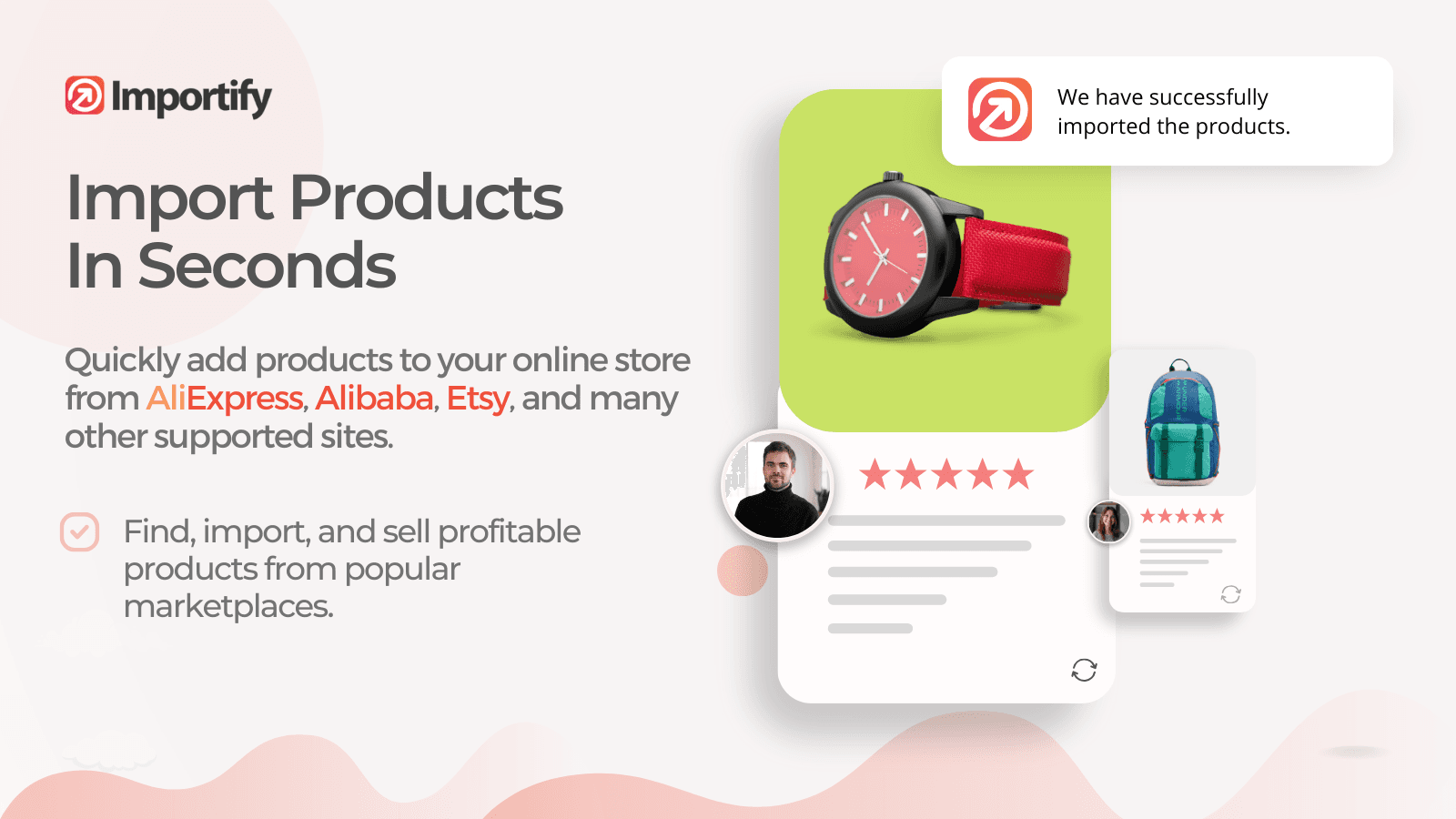
Importify holds 4.6 stars across 500+ reviews. The positioning is comprehensive multi-supplier dropshipping: import from major dropshipping suppliers (AliExpress, Alibaba, Amazon, eBay, CJ Dropshipping, DHgate, Bangood, Spocket, Walmart), one-click product import with image, description, and variant scraping, custom pricing rules (markup percentages, fixed margins), product editing tools before publishing to Shopify, and order fulfillment workflow integration.
The multi-supplier breadth matters specifically for diversified dropshipping operations. Stores running products from 4-6 different supplier networks benefit from one app handling all imports rather than stacking multiple vendor-specific apps — Importify covers the major networks under one interface with consistent pricing rules and editing workflows.
Core features: multi-supplier dropshipping import (AliExpress, Alibaba, Amazon, eBay, CJ Dropshipping, more); one-click product import with image and variant scraping; custom pricing rules with markup automation; product editing before publishing; order fulfillment workflow integration; integration with Shopify Online Store 2.0 themes.
Where it falls short: 4.6-star rating reflects more polish gaps than 4.9-rated alternatives. Some merchant reviews flag occasional sync issues with rapidly-changing supplier inventories. Best for established dropshipping operations rather than first-time dropshipping experiments.
Pricing: Free trial. Paid plans from $14.95/mo.
5. Spocket Import
Best for: dropshipping Shopify stores prioritizing fast shipping with US and EU supplier networks — the faster-shipping dropshipping pick.
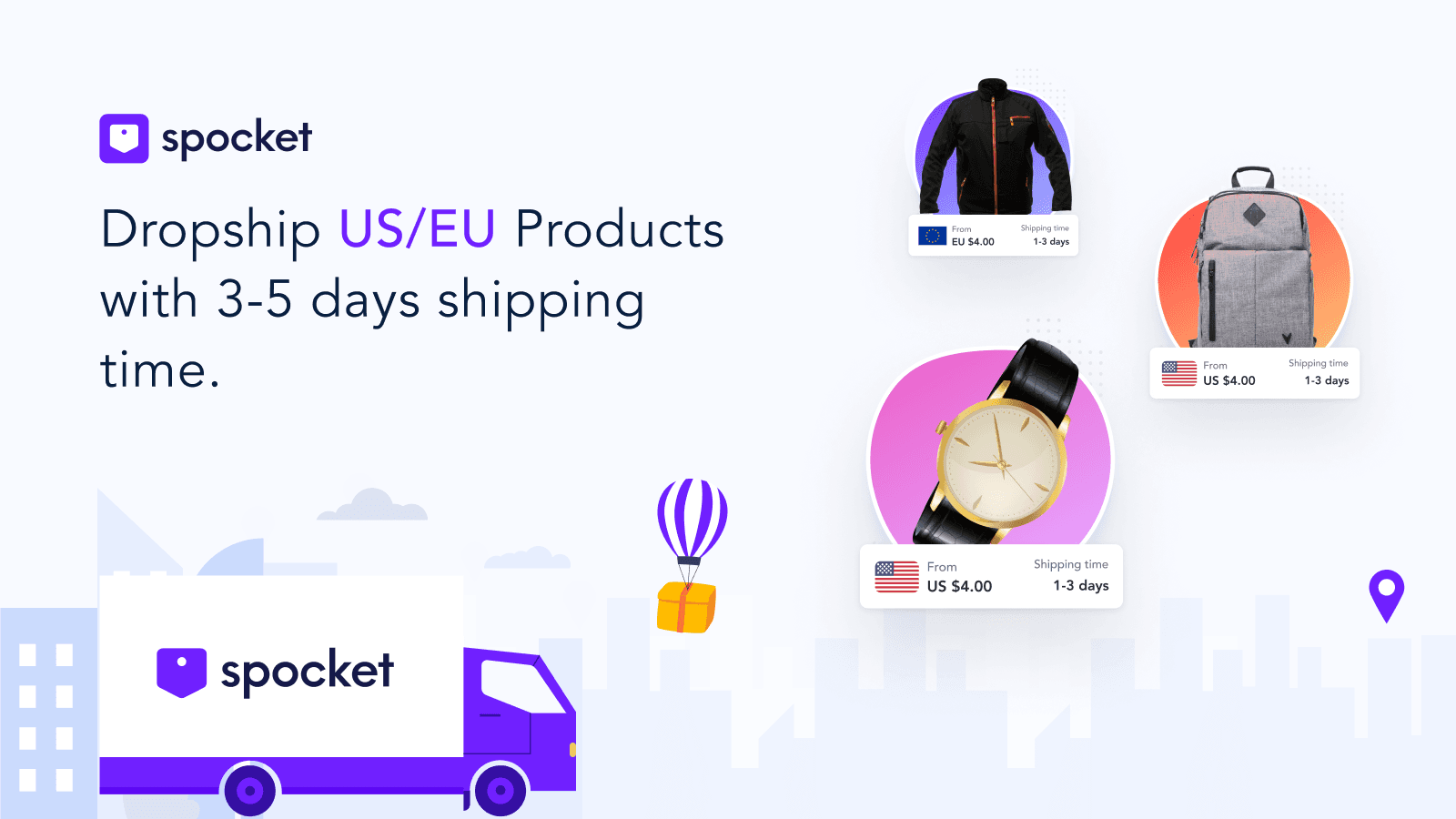
Spocket Import holds 4.6 stars across 7,000+ reviews — the largest review base in the importer layer. The differentiating positioning is curated US and EU supplier networks for faster shipping: 60-80% of Spocket's supplier network ships from US or EU warehouses (versus AliExpress's predominantly China shipping with 2-4 week delivery times), 7-10 day average delivery to US customers, branded invoicing with merchant logos, and integration with Shopify Online Store 2.0 themes.
The faster shipping matters specifically for customer satisfaction and conversion. AliExpress dropshipping with 2-4 week delivery times faces meaningful customer service overhead from "where is my order" support tickets and refund requests for slow shipping. Spocket's US/EU supplier focus delivers Amazon-comparable shipping times that customers expect from Shopify storefronts.
Core features: US and EU supplier networks with faster shipping; product import from Spocket supplier catalog; branded invoicing with merchant logos; custom pricing rules; product editing before publishing; order fulfillment workflow integration; integration with Shopify Online Store 2.0 themes.
Where it falls short: pricing entry point ($29.99/mo) higher than Importify or Product Upload for stores not requiring US/EU shipping. Smaller supplier catalog than AliExpress-based platforms (curated quality over breadth). Best for stores prioritizing customer satisfaction over catalog breadth.
Pricing: Free plan available. Paid plans from $29.99/mo.
6. Product Upload by Tezi
Best for: Shopify stores wanting AI-powered URL scraping from any product page with multi-source flexibility — the URL-flexible product import pick at lowest entry pricing.

Product Upload by Tezi holds 4.8 stars across 300+ reviews. The positioning is AI-powered URL scraping with broad source flexibility: customers paste any product URL (from supplier websites, marketplaces, competitor stores, or custom catalogs), AI extracts product data (title, description, images, pricing, variants), automatic field mapping to Shopify product structure, and bulk import workflows for multiple URLs.
The URL flexibility matters specifically for stores with non-standard supplier sources. Where Importify and Spocket only work with their pre-integrated supplier networks, Product Upload's URL scraper works on any product page — useful for stores sourcing from boutique suppliers, regional wholesalers, or custom supplier websites that aren't covered by major dropshipping networks. For stores with diverse sourcing strategies, this flexibility is valuable.
Core features: AI-powered URL scraping from any product page; automatic field mapping; bulk URL import workflows; product editing before publishing; multi-source flexibility (any product URL); integration with Shopify Online Store 2.0 themes; merchant dashboard with import analytics.
Where it falls short: smaller installed base than mature dropshipping platforms. Source compatibility varies by website (some sites block scraping, complex JavaScript pages may extract incomplete data). Best for stores with diverse sourcing rather than mature dropshipping operations focused on major networks.
Pricing: Free plan available. Paid plans from $9.99/mo.
Layer 3: Spreadsheet Bulk Editor Apps
This layer is for ongoing catalog maintenance after stores are established — mass price updates, bulk inventory adjustments, scheduled product updates, recurring exports. The mechanics: app provides Excel/CSV templates with all Shopify product/order/customer fields, validates uploaded files, and applies bulk changes with audit trails. Two apps lead this layer (Matrixify also serves this layer with its dual positioning). Two specialized apps lead this layer.
7. EZ Inventory
Best for: Shopify stores wanting inventory-focused bulk editing with scheduled imports and broad CSV format support — the inventory-focused bulk editor pick.

EZ Inventory holds 4.9 stars across 200+ reviews. The positioning is inventory-focused bulk operations: CSV-based inventory updates across multiple locations, scheduled recurring imports for supplier inventory feeds, automated stock-level updates, low-inventory alerting, and integration with Shopify Online Store 2.0 themes. For stores with frequent inventory updates from external sources (supplier feeds, warehouse systems, ERP exports), this focused approach handles the use case efficiently.
The scheduled imports matter specifically for stores receiving daily supplier inventory feeds. Manual daily CSV imports consume operational time — EZ Inventory's scheduling automates the import process, pulling inventory feeds from FTP or URL sources at configurable intervals. For stores running inventory across 2-5 locations with daily updates, this automation eliminates the manual workflow.
Core features: CSV-based inventory updates; multi-location inventory support; scheduled recurring imports from FTP or URL sources; automated stock-level updates; low-inventory alerting; integration with Shopify Online Store 2.0 themes; merchant dashboard with inventory operation history.
Where it falls short: focused on inventory — less polished for product description, pricing, or customer data bulk edits. Stores wanting comprehensive bulk editing need Matrixify or Easy Tools alternatives. Best for inventory-heavy operations rather than general bulk editing.
Pricing: Free plan available. Paid plans from $14.99/mo.
8. Easy Tools Bulk Editor
Best for: small-to-mid Shopify stores wanting affordable bulk editing across products, prices, and inventory with broad field coverage — the budget bulk editor pick.
Easy Tools Bulk Editor holds 4.9 stars across 200+ reviews. The positioning is affordable comprehensive bulk editing at lower entry pricing than Matrixify: CSV-based bulk operations across products, prices, inventory, tags, vendors, types, and metafields, validation before applying changes, undo functionality for reverting bulk operations, and integration with Shopify Online Store 2.0 themes.
The pricing positioning matters specifically for smaller stores. Where Matrixify's $20-50/mo pricing fits established operations and EZ Inventory focuses on inventory specifically, Easy Tools delivers comprehensive bulk editing at $9.99/mo — useful for stores running monthly bulk operations without the volume justifying Matrixify's subscription.
Core features: CSV-based bulk editing across multiple Shopify entities; broad field coverage (products, prices, inventory, tags, vendors, types, metafields); validation before applying changes; undo functionality for reverting operations; integration with Shopify Online Store 2.0 themes; merchant dashboard with operation history.
Where it falls short: smaller installed base than Matrixify. No full-store migration capabilities — focused only on bulk editing. Best for stores wanting affordable bulk editing rather than comprehensive migration platforms.
Pricing: Free plan available. Paid plans from $9.99/mo.
Which Data Migration App to Choose
For most-installed comprehensive platform handling migrations and ongoing operations: Matrixify. 5.0 stars, 600+ reviews, $20/mo entry, the established pick for serious data operations and full-store migrations.
For one-time managed migration with predictable pricing: Cart2Cart Store Migration. 4.7 stars, $69 one-time, the fixed-cost migration pick.
For SEO-focused managed migration with consultation: LitExtension Store Migration. 4.7 stars, $59 one-time, the SEO-conscious migration pick.
For multi-supplier dropshipping import: Importify. 4.6 stars, 500+ reviews, $14.95/mo entry, the established multi-supplier dropshipping pick.
For US/EU faster-shipping dropshipping: Spocket Import. 4.6 stars, 7,000+ reviews, $29.99/mo, the curated faster-shipping pick.
For AI URL scraping from any product page: Product Upload by Tezi. 4.8 stars, $9.99/mo, the URL-flexible product import pick.
For inventory-focused bulk editing with scheduled imports: EZ Inventory. 4.9 stars, $14.99/mo, the inventory-focused bulk editor pick.
For affordable comprehensive bulk editing: Easy Tools Bulk Editor. 4.9 stars, $9.99/mo, the budget bulk editor pick.
For most Shopify stores in this category, the honest framing is lifecycle-stage-first. Stores migrating from non-Shopify platforms install Layer 1 (Matrixify for comprehensive data operations, Cart2Cart or LitExtension for one-time managed migrations). Dropshipping and supplier-import operations install Layer 2 (Importify, Spocket, or Product Upload depending on supplier strategy). Established stores running ongoing operations install Layer 3 (Matrixify, EZ Inventory, or Easy Tools depending on operation focus). The most common migration mistake is starting without a redirect map — stores discovering missing redirects post-launch face 30-60% organic traffic loss that takes months to recover.
How We Ranked These Apps
This ranking is based on four criteria applied to every Shopify data migration and importer app tested in 2026. First, Shopify App Store rating and verified review volume as of April 30, 2026 — the strongest signal of long-term merchant satisfaction at scale. Second, fit-to-job for which of the three layers each app actually solves (full-store migration, product import, or bulk editing) rather than treating these as a single category. Third, pricing structure and total cost at realistic merchant volumes — a $9.99/mo bulk editor and a $50/mo migration platform handle different scopes, and the math depends on which layer the store actually needs based on lifecycle stage and operational complexity. Fourth, SEO preservation fit, since merchant satisfaction depends critically on whether migrations preserve organic traffic through proper URL redirect handling.
Every pricing and feature figure in this post was verified directly from each app's live Shopify App Store listing on April 30, 2026. App pricing structures change — always confirm current pricing on the official listing before installing. Ratings and review counts reflect the Shopify App Store at the time of our last update.
Frequently Asked Questions
What is a Shopify data migration app?
A Shopify data migration app handles one of three distinct jobs. Comprehensive migration platforms (Matrixify, Cart2Cart, LitExtension) handle full-store migrations from non-Shopify platforms with multi-entity data and SEO redirect preservation. Product importer apps (Importify, Spocket, Product Upload) handle URL-based product scraping from supplier websites for catalog expansion. Bulk editor apps (Matrixify, EZ Inventory, Easy Tools) handle Excel/CSV-based bulk operations for ongoing catalog maintenance.
What is the best Shopify data migration app in 2026?
Depends on the layer. For comprehensive migration: Matrixify (5.0 stars, $20/mo entry, most-installed) or Cart2Cart ($69 one-time, predictable pricing). For product import: Importify (multi-supplier dropshipping), Spocket Import (US/EU shipping), or Product Upload by Tezi (AI URL scraping). For bulk editing: Matrixify, EZ Inventory ($14.99/mo inventory focus), or Easy Tools Bulk Editor ($9.99/mo budget). Pick the layer first based on lifecycle stage.
How much do Shopify data migration apps cost?
Entry tiers range from free (most apps offer free plans or demos) to $14.99/mo for paid bulk editor and product import plans. Comprehensive migration platforms run $20-50/mo with usage-based scaling. One-time managed migrations (Cart2Cart, LitExtension) run $59-799 per migration depending on data volume. The right app costs less than $50/mo for most stores once the actual migration scope is identified.
Does Shopify support data migration natively?
Partially. Shopify Admin includes native CSV import/export for products, customers, and orders. Native limitations: order migrations from non-Shopify platforms aren't supported, gift cards/blog posts/pages/redirects aren't covered, scheduled imports aren't supported, multi-platform translation requires manual transformation. Third-party apps extend functionality with comprehensive multi-entity support.
How long does a Shopify migration take?
Full-store migrations typically take 2-4 weeks for stores under 5,000 products and 4-12 weeks for stores at 50,000+ products including data validation, redirect mapping, and theme rebuild. Costs range $200-2,000 for self-serve migrations via Matrixify, $69-799 for managed migrations via Cart2Cart, and $5K-50K+ for white-glove migrations via specialized agencies. Underestimating migration time is the most common project mistake.
Why are SEO redirects critical for migrations?
SEO redirects are the highest-stakes migration deliverable. Stores migrating to Shopify lose 30-60% of organic traffic in the first 90 days when redirects are misconfigured — each old URL must redirect to the equivalent new URL via 301 redirects. Matrixify's redirect import and Shopify's URL Redirects feature handle this systematically. Stores skipping redirects can take 6-12 months to recover organic traffic.
What is the difference between migration and bulk editing?
Different lifecycle stages. Migration apps handle one-time data movement from source platforms to Shopify during launch projects. Bulk editor apps handle ongoing catalog maintenance after stores are established — mass price updates, scheduled inventory adjustments, recurring exports. Matrixify uniquely serves both layers; specialized apps serve only one.
What is dropshipping product import?
Product import for dropshipping is the process of pulling product listings (titles, descriptions, images, pricing, variants) from supplier networks (AliExpress, Alibaba, Amazon, Spocket suppliers) into Shopify catalog. Apps like Importify and Spocket handle the import workflow plus order fulfillment when customers place orders. Distinct from full-store migration which handles platform-to-platform data movement.
Should I use Spocket or Importify for dropshipping?
Depends on shipping priorities. Spocket's curated US/EU supplier network delivers 7-10 day shipping versus AliExpress's 2-4 week shipping — better customer satisfaction at $29.99/mo. Importify aggregates multiple supplier networks (AliExpress, Alibaba, Amazon, eBay, others) at $14.95/mo — broader catalog with mixed shipping times. Stores prioritizing customer experience choose Spocket; stores prioritizing supplier breadth choose Importify.
Will data migration apps slow down my Shopify store?
No, migration and bulk editor apps run in Shopify Admin without affecting storefront performance. Operations happen server-side during data import/export rather than impacting customer-facing pages. The exception is scheduled imports running during peak traffic hours — schedule recurring operations during off-peak hours to avoid Shopify Admin slowdowns during high-traffic periods.
Think Your App Belongs on This List?
We update these lists as new tools launch and existing ones improve. If you are a developer building a Shopify data migration, product importer, or bulk editor app and want your app considered for inclusion, submit it here — tell us what your app does, who it is for, and include a link to your Shopify App Store listing. We review every submission.